
How to Build a Lead Routing System: Complete Guide for 2026
Learn how to build a lead routing system that automatically qualifies, assigns, and routes leads using CRM data, routing rules, enrichment, and AI.
On this page
- What Is a Lead Routing System?
- Why Lead Routing Matters?
- Lead Routing vs Lead Qualification
- What are the different types of lead routing?
- 6. Round-robin routing
- What data does a lead routing system need?
- Lead Routing System Architecture
- How to Build a Lead Routing System Step by Step?
- AI-Powered Lead Routing
- How to Automate Lead Routing in a CRM?
- Round-Robin vs Territory-Based Routing
- Territory-Based Routing
- A Hybrid Routing Model
- Lead Routing SLA
- Lead Routing by Intent
- Lead Routing by Account Tier
- Lead Routing With AI
- Confidence-Based AI Routing
- Lead Routing Fallback Logic
- Lead Routing Error Handling
- Lead Routing Monitoring
- How Anfloy Can Build a Lead Routing System?
- Lead Routing Implementation Checklist
- Conclusion
A lead can be qualified and still lose value if it reaches the wrong salesperson.
If an enterprise lead is routed to an SMB representative, a high-intent prospect sits untouched for hours, or a lead is assigned to multiple representatives, the problem is not lead generation.
It is lead routing.
A lead routing system determines what happens after a lead enters your revenue system. It evaluates the available customer data, applies qualification and assignment rules, identifies the appropriate owner, and triggers the next action.
A modern system can automate the entire process:
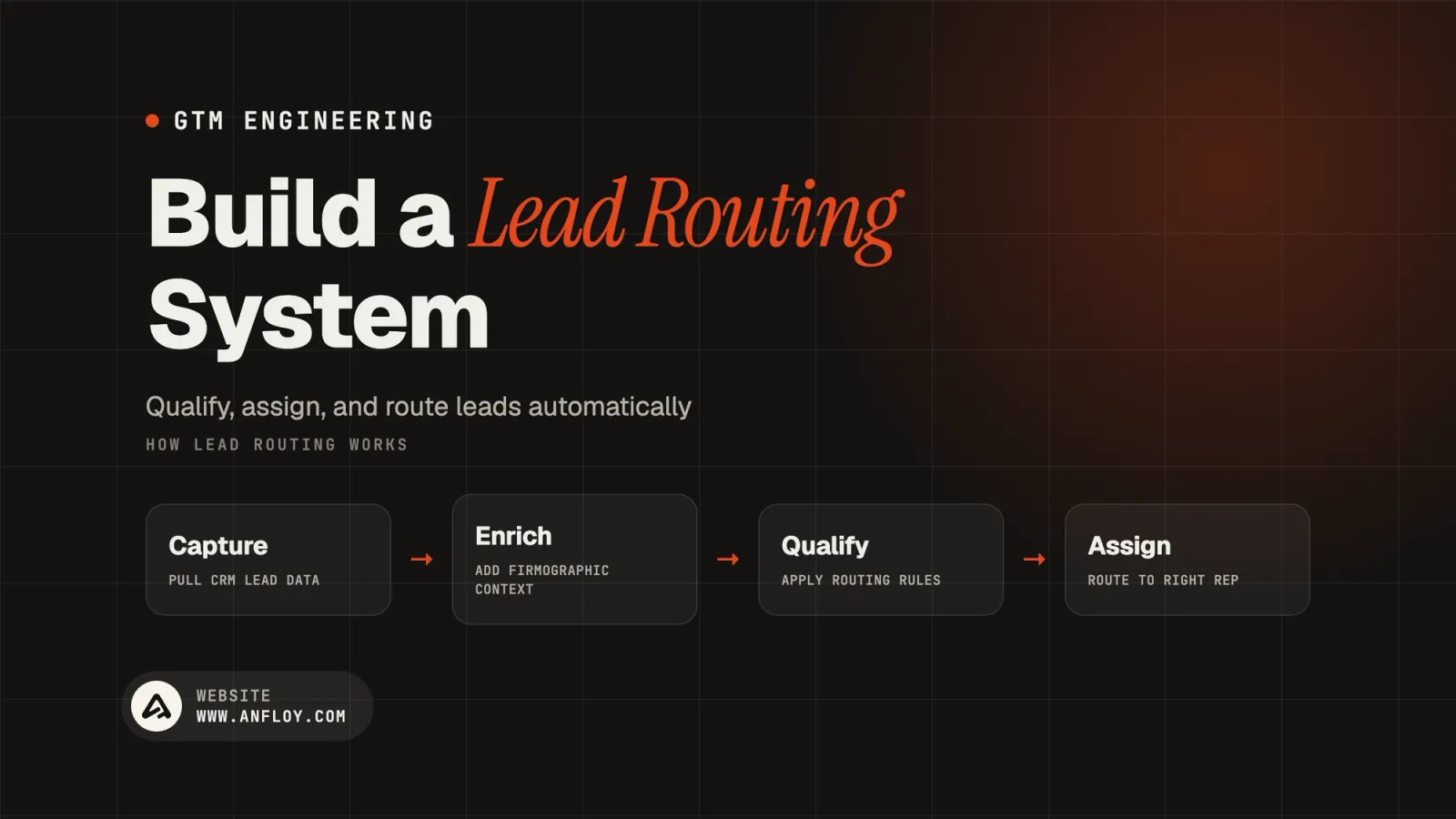
Lead Capture → Enrichment → Qualification → Routing → Sales Action → Measurement
The objective is not simply to distribute leads.
The objective is to route the right lead to the right person at the right time with the right context.
This guide explains how to build a lead routing system from the ground up, including routing logic, CRM architecture, enrichment, AI, automation, common mistakes, and measurement.
What Is a Lead Routing System?
A lead routing system is a set of rules, data, workflows, and automation that determines which salesperson or revenue team should receive a lead.
A basic routing system may use:
- Geographic territory
- Company size
- Industry
- Lead source
- Product interest
- Account ownership
A more advanced system can also consider:
- ICP fit
- Buying intent
- Account tier
- Customer lifecycle
- Existing CRM relationships
- Sales capacity
- Lead score
- Business signals
The system then assigns the lead to an appropriate owner and triggers the next operational step.
For example:
New Lead
   ↓
Identify Company
   ↓
Enrich Record
   ↓
Check Existing Account
   ↓
Evaluate ICP
   ↓
Apply Routing Rules
   ↓
Assign Sales Owner
   ↓
Create Sales Task
   ↓
Notify Representative
This removes manual decision-making from repetitive routing processes.
Why Lead Routing Matters?
Lead routing directly affects speed, ownership, and conversion.
A strong routing system helps prevent:
- Leads sitting unassigned
- Duplicate outreach
- Incorrect territory assignment
- Poor account ownership
- Slow response times
- Sales capacity imbalance
- Lost high-intent opportunities
Consider two companies receiving the same number of leads.
Company A distributes leads manually.
Company B automatically identifies the account, checks ownership, qualifies the lead, routes it to the correct representative, and creates the required follow-up task.
Company B has created a faster path from lead creation to sales action.
That operational advantage compounds as lead volume grows.
Lead Routing vs Lead Qualification
These processes are related but not identical.
Lead qualification
Qualification answers:
Is this lead worth pursuing?
It evaluates characteristics such as:
- ICP fit
- Company size
- Industry
- Intent
- Need
- Role
- Engagement
Lead routing
Routing answers:
Who should pursue this lead?
It determines:
- Sales representative
- Territory
- Segment
- Account team
- Queue
- Follow-up workflow
A mature GTM system connects both processes:
Enrich → Qualify → Route → Activate
Routing without qualification can send poor-fit leads to sales.
Qualification without routing leaves valuable leads waiting for human assignment.
What are the different types of lead routing?
Different organizations use different routing models.
1. Geographic routing
Leads are assigned according to location.
For example:
- North America
- Europe
- Asia-Pacific
- Middle East
This works well when sales territories are geographically structured.
2. Company size routing
Leads are routed according to employee count or revenue.
Example:

Company Size
     │
 ┌───┼────┐
 ▼   ▼    ▼
SMB Mid  Enterprise
 │    │      │
 ▼    ▼      ▼
Rep A Rep B  Rep C
This is common in B2B SaaS organizations with separate sales segments.
3. Industry routing
Leads can be assigned based on industry expertise.
For example:
- Financial services → Fintech team
- Healthcare → Healthcare team
- Technology → SaaS team
Industry-based routing can be valuable when representatives have specialized knowledge.
4. Product-based routing
Companies selling multiple products can route leads according to product interest.
For example:
Product A inquiry → Product A sales team
Product B inquiry → Product B sales team
This prevents representatives from receiving leads outside their area of responsibility.
5. Account ownership routing
If a lead belongs to an existing account, the system should generally check the account's existing owner before assigning a new representative.
This prevents multiple salespeople from contacting the same organization.
A typical rule is:
Existing Account → Existing Owner
before applying general territory rules.
6. Round-robin routing
Round-robin distributes leads across a defined group of representatives.
For example:
Lead 1 → Rep A
Lead 2 → Rep B
Lead 3 → Rep C
Lead 4 → Rep A
Lead 5 → Rep B
It is simple and useful when representatives have similar territories and responsibilities.
However, basic round-robin can create poor assignments when representatives have different capacity, expertise, or account ownership.
7. Capacity-based routing
A more sophisticated system considers current representative capacity.
For example:
Qualified Lead
      ↓
Check Team Capacity
      ↓
 ┌────┼────┐
 ▼    ▼    ▼
Low  Med   High
 ▼    ▼     X
Assign Assign Hold
Capacity-based routing can help prevent high-value leads from being assigned to overloaded representatives.
What data does a lead routing system need?
Routing quality depends on the quality of the underlying data.
At minimum, consider collecting:
Contact data
- Name
- Job title
- Location
- Department
Account data
- Company
- Industry
- Employee count
- Revenue
- Headquarters
- Website
GTM data
- Lead source
- Product interest
- Lifecycle stage
- Lead score
- Account owner
- Territory
Behavioral data
- Website activity
- Content engagement
- Product activity
- Form submissions
- Buying signals
The system should collect only the data required to make routing decisions.
More data does not automatically create better routing.
Lead Routing System Architecture
A scalable architecture separates data collection from decision-making and execution.
Lead Source
                      ↓
                Lead Capture
                      ↓
                     CRM
                      ↓
                Data Enrichment
                      ↓
              Qualification Layer
                      ↓
              Routing Decision
                      ↓
             ┌────────┴────────┐
             ↓                 ↓
        Sales Owner         Queue / Nurture
             ↓
        Sales Workflow
             ↓
       Revenue Measurement
Each layer has a defined purpose.
CRM
Stores the customer and account record.
Enrichment
Adds missing information.
Qualification
Determines whether and how the lead should be prioritized.
Routing
Determines ownership.
Activation
Creates the next sales action.
Measurement
Tracks whether the routing system produces better outcomes.
How to Build a Lead Routing System Step by Step?
Step 1: Define Your Routing Objective
Start with the business outcome.
Ask:
- What does a qualified lead look like?
- Which team should handle it?
- What makes one representative more appropriate than another?
- How quickly should the lead be contacted?
- What happens to leads that do not qualify?
Do not begin by configuring CRM rules.
Begin by defining the operating model.
Step 2: Map Your Sales Segments
Document the structure of your sales organization.
For example:
| Segment | Company Size | Owner |
|---|---|---|
| SMB | 1–100 | SMB Team |
| Mid-Market | 101–1,000 | Mid-Market Team |
| Enterprise | 1,001+ | Enterprise Team |
The actual thresholds should reflect your company's sales model.
This segmentation becomes the foundation for routing logic.
Step 3: Define Routing Rules
Turn the sales model into explicit rules.
For example:
IF existing_account_owner exists
→ assign to existing owner
ELSE IF company_size > 1000
→ Enterprise team
ELSE IF company_size > 100
→ Mid-Market team
ELSE
→ SMB team
Rules should be explicit enough that two people would reach the same routing decision.
Step 4: Check Existing CRM Relationships
Before assigning a new lead, check whether the company already exists.
This is one of the most important routing rules.
The system should determine:
- Does the account already exist?
- Who owns it?
- Is there an open opportunity?
- Is the person already a contact?
- Is another representative currently engaging the account?
This prevents conflicting ownership.
Step 5: Enrich the lead
If the CRM does not contain enough information to make the routing decision, enrich the record.
Useful enrichment fields may include:
- Company size
- Industry
- Location
- Revenue
- Technology
- Job title
- Seniority
For complex B2B routing, enrichment platforms such as Clay can provide additional customer intelligence before the routing decision is made.
Step 6: Add qualification logic
Routing should not operate independently of qualification.
For example:

New Lead
   ↓
Enrichment
   ↓
ICP Check
   ↓
 ┌─────────────┐
 │             │
Qualified   Not Qualified
 │             │
 ↓             ↓
Route       Nurture
This prevents sales representatives from spending time on leads that clearly fall outside the target market.
Step 7: Apply the Routing Hierarchy
Routing rules should have an explicit order of precedence.
A useful hierarchy is:
- Existing account owner
- Existing opportunity owner
- Strategic account ownership
- Enterprise or segment assignment
- Geography
- Industry
- Product
- Capacity
- Round robin
- Default queue
The exact hierarchy depends on the organization's sales structure.
The important principle is that higher-priority ownership rules should be evaluated before generic assignment rules.
Step 8: Trigger the sales workflow
Routing is incomplete until the assigned representative knows what to do next.
After assignment, automation can:
- Create a sales task
- Send a Slack notification
- Add the lead to an appropriate sequence
- Generate account research
- Create a follow-up deadline
- Update CRM fields
This turns routing into revenue execution.
Example: Automated B2B Lead Routing
A SaaS company receives a demo request.
The system processes it as follows:
Demo Request
      ↓
Identify Company
      ↓
Check Existing Account
      ↓
Enrich Company
      ↓
Evaluate ICP
      ↓
Check Company Size
      ↓
Check Territory
      ↓
Check Existing Owner
      ↓
Assign Representative
      ↓
Create Sales Task
      ↓
Notify Rep
If the company is an existing enterprise account, the system assigns the existing account owner.
If it is a new enterprise account, it goes to the enterprise team.
If it is a new SMB account, it enters the SMB routing process.
This creates predictable ownership without requiring Revenue Operations to manually inspect every submission.
AI-Powered Lead Routing
AI can make routing more sophisticated when traditional rules cannot capture enough context.
For example, AI can classify:
- Industry
- Business model
- Product relevance
- Company type
- Buying intent
- Account fit
A hybrid architecture might look like:
Lead
 ↓
Enrichment
 ↓
AI Classification
 ↓
Deterministic Rules
 ↓
Routing
 ↓
Human Action
AI should generally support the routing system rather than replace clear business rules.
If a company has 2,000 employees, a simple rule can determine that it belongs to the enterprise segment.
If determining whether the company operates in a specific niche requires website interpretation, AI may be useful.
How to Automate Lead Routing in a CRM?
Once the routing strategy is defined, the next step is implementation.
The CRM should act as the system of record for ownership, lifecycle, account relationships, and routing outcomes.
The exact configuration depends on the CRM, but the underlying architecture remains similar.
Trigger → Validate → Enrich → Qualify → Route → Activate → Measure
Automating Lead Routing in HubSpot
HubSpot can support lead routing through workflows, ownership fields, lifecycle stages, lists, and other automation capabilities.
A typical workflow can look like:
New Lead
   ↓
Check Existing Contact
   ↓
Check Associated Company
   ↓
Check Owner
   ↓
Evaluate Lead Properties
   ↓
Assign Owner
   ↓
Create Follow-Up Task
   ↓
Notify Sales
Useful routing properties can include:
- Country
- State or region
- Company size
- Industry
- Lead source
- Product interest
- Lifecycle stage
- Lead score
- Account tier
The exact properties should reflect your sales segmentation.
HubSpot Routing Example
Suppose a company uses three sales segments:
- SMB
- Mid-market
- Enterprise
The routing logic could be:
Company Size
     ↓
 ┌───┼──────┐
 ▼   ▼      ▼
SMB Mid   Enterprise
 ↓   ↓       ↓
Team A Team B Team C
The agentic workflow can then assign the appropriate owner and trigger the relevant sales process.
The important point is to avoid building dozens of independent workflows that each make their own ownership decisions.
Centralize the routing logic where possible.
Automating Lead Routing in Salesforce
Salesforce can support sophisticated routing architectures using objects, assignment logic, flows, queues, territories, and other CRM capabilities.
A Salesforce routing process might look like:
Lead Created
     ↓
Data Validation
     ↓
Account Matching
     ↓
Enrichment
     ↓
Qualification
     ↓
Territory / Segment
     ↓
Owner Assignment
     ↓
Salesforce Flow
     ↓
Sales Activity
Salesforce is particularly useful for organizations with complex account structures and multiple sales teams.
Enterprise routing may need to consider:
- Account ownership
- Territories
- Account hierarchy
- Product teams
- Regional teams
- Strategic accounts
- Opportunity ownership
The more complex the sales organization becomes, the more important routing governance becomes.
Round-Robin vs Territory-Based Routing
Two common routing models are round-robin and territory-based assignment.
Round-Robin Routing
Round-robin distributes leads evenly among a group of representatives.
Example:
Lead 1 → Rep A
Lead 2 → Rep B
Lead 3 → Rep C
Lead 4 → Rep A
Lead 5 → Rep B
Advantages
- Simple
- Easy to implement
- Useful for similar sales roles
- Balances lead volume
Disadvantages
- Ignores account ownership
- Ignores specialization
- Can create poor territory alignment
- Does not necessarily balance workload
Round-robin works best when the representatives have relatively similar responsibilities.
Territory-Based Routing
Territory routing assigns leads based on predefined ownership structures.
For example:
Lead
 ↓
Country
 ↓
Region
 ↓
Territory
 ↓
Sales Representative
Advantages
- Clear ownership
- Supports regional expertise
- Easier account management
- Useful for enterprise sales
Disadvantages
- More complex
- Requires accurate location data
- Can create uneven workloads
Territory routing is generally stronger when geography or account ownership is strategically important.
A Hybrid Routing Model
Many mature organizations should combine multiple routing methods.
For example:

New Lead
   ↓
Existing Account?
   │
 ┌─┴─────────┐
Yes          No
 │            │
 ▼            ▼
Existing     ICP Check
Owner          ↓
             Segment
                ↓
           Territory
                ↓
             Capacity
                ↓
           Round Robin
This approach gives higher-priority business relationships precedence over generic distribution.
Lead Routing SLA
Routing speed matters because assignment and response are different events.
A lead can be assigned immediately but remain untouched for hours.
Define two separate metrics:
Routing SLA
How quickly the system assigns the lead.
Sales Response SLA
How quickly the assigned representative takes action.
For example:
Lead routed within 1 minute.
Sales representative notified immediately.
First sales action within 15 minutes.
The exact SLA should reflect lead source, buying intent, sales model, and team capacity.
High-intent inbound leads may require a much faster response than low-intent leads.
Lead Routing by Intent
Not every lead should receive the same response speed.
A routing system can prioritize based on intent.
For example:
Lead
 ↓
Intent
 ├── High → Immediate Sales
 ├── Medium → Standard Sales
 └── Low → Nurture
Intent signals may include:
- Demo request
- Pricing page activity
- Product trial
- Multiple high-value page visits
- Product engagement
- Direct sales inquiry
The goal is to align operational urgency with customer buying behavior.
Lead Routing by Account Tier
Account-based sales teams can use account tiers to determine routing priority.
Example:
Tier 1
Strategic enterprise accounts.
Action: Named account owner.
Tier 2
High-fit accounts.
Action: Enterprise or specialist sales team.
Tier 3
Standard ICP accounts.
Action: Territory or round-robin routing.
Tier 4
Low-fit or uncertain accounts.
Action: Nurture or qualification queue.
This prevents high-value accounts from being treated the same as every other inbound lead.
Lead Routing With AI
AI can improve routing when customer information is incomplete or difficult to classify.
For example, a company may not have an industry field populated.
Instead of relying on a manual data-entry process, an AI system can analyze the company's website and classify its business model.
The result can be passed into the routing engine:
Company Website
      ↓
AI Classification
      ↓
Industry
      ↓
ICP Fit
      ↓
Account Tier
      ↓
Routing Rules
      ↓
Sales Owner
AI can also help identify:
- Business model
- Relevant product use case
- Account complexity
- Strategic relevance
- Potential buying signals
However, AI should not replace deterministic routing rules when the required information is already structured.
Confidence-Based AI Routing
One useful pattern is to introduce an AI confidence threshold.
For example:

AI Classification
      ↓
Confidence Score
      │
 ┌────┴─────┐
 ▼          ▼
High       Low
 │           │
 ▼           ▼
Automate   Human Review
If the AI is highly confident, the system can proceed automatically.
If confidence is low, the lead can enter a review queue.
This provides a practical balance between automation and control.
Lead Routing Fallback Logic
Every routing system needs a fallback.
What happens if:
- The country is missing?
- Company size is unknown?
- Enrichment fails?
- No representative owns the territory?
- The assigned representative is unavailable?
- The account is duplicated?
- AI classification fails?
A simple fallback might be:
Routing Decision
      ↓
Owner Found?
   ┌──┴──┐
  Yes    No
   ↓      ↓
Assign  Default Queue
          ↓
       Human Review
Never allow an important lead to disappear because one routing condition failed.
Lead Routing Error Handling
Production routing systems should log exceptions.
Useful error categories include:
- Missing data
- Invalid territory
- Duplicate lead
- Unknown account
- No owner
- API failure
- Enrichment failure
- AI classification failure
An exception queue allows Revenue Operations to identify recurring problems.
If hundreds of leads enter the exception queue because company size is missing, the problem may not be the routing system.
It may be the data collection process.
Lead Routing Monitoring
A routing system should be monitored continuously.
Track:
Assignment
- Percentage successfully routed
- Unassigned leads
- Assignment time
Quality
- Correct-owner rate
- Duplicate assignments
- Reassignment rate
Sales
- First-response time
- Contact rate
- Meeting conversion
- Opportunity conversion
Operations
- Workflow failures
- Enrichment failures
- AI errors
- Exception volume
These metrics reveal whether the routing system is actually improving the revenue process.
How Anfloy Can Build a Lead Routing System?
Anfloy can approach lead routing as part of the broader GTM infrastructure rather than as an isolated CRM workflow.
A typical implementation can connect:
Lead Capture → CRM → Enrichment → AI Qualification → Routing → Sales Activation → Measurement
The system can incorporate:
- ICP rules
- Account ownership
- Territory logic
- Company segmentation
- Data enrichment
- AI classification
- Lead scoring
- Capacity
- Round-robin assignment
- CRM updates
- Sales notifications
- Exception handling
This creates a routing system that can evolve as the sales organization grows.
Lead Routing Implementation Checklist
Before launching a production system, confirm:
- ICP is clearly defined
- Sales segments are documented
- Routing rules have explicit priority
- Existing account ownership is checked
- Required CRM fields are defined
- Enrichment is available where required
- Qualified and unqualified paths are defined
- Sales territories are documented
- Representative capacity is considered
- Routing SLA is defined
- Sales response SLA is defined
- Fallback routing exists
- Error handling is implemented
- Exceptions are monitored
- Routing ownership is assigned
- Performance metrics are tracked
Conclusion
A lead routing system is more than a CRM assignment rule.
It is a critical component of the revenue engine.
The strongest systems connect:
Customer Data → Qualification → Routing → Sales Action → Measurement
Start with clear sales segmentation and ownership rules.
Then add enrichment, automation, AI classification, capacity logic, and monitoring where they create additional value.
The goal is simple:
Every valuable lead should reach the right owner with the right context and the right level of urgency.
When lead routing is designed as part of the broader GTM infrastructure, it becomes easier to scale sales operations without adding the same amount of manual coordination.
Book Your Call!
Frequently Asked Questions
What is the best way to route leads?
The best approach depends on the sales organization. A mature system usually combines existing account ownership, segment, territory, product, capacity, and fallback rules rather than relying on a single routing method.
What is round-robin lead routing?
Round-robin routing distributes leads sequentially across a group of sales representatives. It is simple and useful when representatives have similar responsibilities.
Should lead qualification happen before routing?
Usually, yes. Qualification helps determine whether the lead should be pursued and how urgently it should be handled. The routing system can then assign qualified leads to the appropriate owner.
How does AI improve lead routing?
AI can classify information that is difficult to capture with structured rules, such as industry, business model, product relevance, or buying signals. AI can then provide structured information to the deterministic routing engine.
How fast should a lead be routed?
The system should generally route a lead as quickly as practical, but the appropriate sales response SLA depends on lead intent and business model. High-intent inbound leads typically require faster action than low-intent leads.
Who owns lead routing?
Lead routing is commonly owned by Revenue Operations, Sales Operations, GTM Engineering, or a similar revenue systems function. Sales leadership should define the business requirements, while the systems owner maintains the implementation.
Can lead routing be fully automated?
Many routing decisions can be fully automated when the required data and rules are deterministic. Human review remains useful for exceptions, ambiguous data, strategic accounts, and low-confidence AI classifications.
Let's build
what your
company needs.
Drop your email. We'll send The Custom Agent Blueprint on what we'd build first for a company like yours, before you ever take a meeting.