
How We Make Product Launch Videos With Claude Code (2026)
Launch videos, feature drops and product walkthroughs made from code with Claude Code and HyperFrames: the stack, the costs, the workflow and 10 free skills.
On this page
We make every video at Anfloy from code: our launch film, feature drops, product walkthroughs, client updates and the motion graphics in our posts. One agent in Claude Code writes the scenes as HTML, an open-source renderer turns the HTML into video frame by frame, and AI models generate the footage, voices and music. No editor, no agency, no timeline app.
Below is the whole setup: why code beats a timeline editor for this work, the stack and what each piece costs, the ten-step workflow we follow, how to build the five kinds of video we make most, the mistakes that cost us hours, and the ten Claude Code skills we use, free to download at the end.
Why make videos from code
A video made in a timeline editor is a project file only that editor can open. A video made from code is a folder of text files. That one difference changes how fast you can ship.
- A change is one line. The headline changed, the price changed, the logo changed. Edit the line, render again, done in minutes.
- An agent can do the work. Claude Code reads and writes HTML and JavaScript fluently. It cannot drag clips around a timeline. Give it a brief and it builds the scenes, checks them and renders.
- One source, every channel. The same scenes render at 16:9 for YouTube and your site, 9:16 for Reels and Shorts, 1:1, and 4:5 (1080x1350) for the LinkedIn feed.
- It is versioned. Every video lives in git. You can see what changed between v3 and v4 and roll back.
- It personalizes. Pass a company name, a logo and a brand color as variables and render one video per customer or prospect in a batch.
- The product UI stays sharp. We rebuild our product screens as live HTML instead of screen recordings, so every number counts up, every chart draws and nothing is blurry at 4K.
Timeline editors are still better for one thing: cutting a long talking-head interview by feel. Everything else on this page, we do faster in code.
The stack, and what each piece does
| Piece | What it does for us |
|---|---|
| Claude Code | The agent. Writes every scene, runs the renderer, reads the frames back and fixes what is wrong. |
| HyperFrames | The renderer. Open source (Apache 2.0) from HeyGen. A scene is HTML plus a GSAP timeline; it seeks the paused timeline frame by frame in headless Chrome, so every render is identical. |
| GSAP | The animation library inside each scene. Every movement is a tween on one timeline. |
| fal | One API and one key for every AI model below, billed per call. |
| Nano Banana Pro | The still frame each AI shot starts from. A human picks the best one before any video is generated. |
| Seedance 2.5 | Brings the still to life. Our choice for people talking: it generates the speech and the lip movement together. |
| Wan 3.0 | Crowds, wide office shots and multi-scene clips. |
| ElevenLabs | Voiceover, the voice changer that keeps each character's voice consistent, sound effects and the music bed. |
| Whisper | Word-level timestamps from the voiceover, so captions pop on the exact word and cuts land on the beat. |
| Topaz | Upscales the AI clips to 4K at the end. |
| Blender | Real 3D when a shot needs it, and quick previs to block a camera move before paying for generation. |
| ffmpeg | Loops, GIFs, the final encode for each channel. |
If you only make motion graphics and product UI (no people on screen), you need the first three rows and ffmpeg. That part is free.
What it costs
- Renderer: free. HyperFrames is open source and renders on your own machine.
- AI video, at the time of writing (October 2026, fal): Seedance 2.5 is $0.57 per second at 720p and $1.40 per second at 1080p. Wan 3.0 is $0.10 per second at 720p and $0.20 per second at 1080p. Prices move often; check fal before you budget.
- Our launch film: a 72-second film with a full cast, dialogue, music and motion design. Across every version we made, the logged AI model calls came to about $149. Most of that was rerolls: expect 5 to 25% of AI shots to be usable, and budget for it.
- Motion-only videos like the ten-window one above cost nothing beyond the Claude Code subscription.
The workflow, step by step
Each step below is one of the ten skills in the download. Claude loads the right one when the task matches.
1. Write the brief before any pixels
One sentence that says what the video is for, who watches it, and the one thing they should remember. Then the length, the aspect ratio for each channel and the beats with second marks. The first second is the thumbnail and the hook, and most people watch muted, so the picture has to carry the message without sound. We approve the script word by word before generating a single shot. Every time we skipped this, we threw the footage away.
2. Build scenes that render the same every time
A scene is an HTML file with one paused GSAP timeline. Every timed element carries a start and a duration, nothing reads the clock, and any randomness comes from a seeded generator. That is what makes a render repeatable: frame 120 is identical every time you render, so a fix is a fix and nothing flickers.
npx hyperframes init my-launch
npx hyperframes check --json          # fix every error before you look at anything
npx hyperframes snapshot --at 0,2,4   # stills at exact times, to look at
npx hyperframes render --quality delivery --output out/launch.mp4
3. Give it a motion language
Generic motion is what makes AI video look generic. We fix the eases by purpose: a sharp exponential ease-out for type that slams in, a smooth in-out for camera moves, a small overshoot for things that pop, a slow sine for idle drift. Something is always moving, even in a hold. Camera moves on product UI run in 3D with perspective and swing back so a loop closes cleanly.
4. Rebuild the product as code, not screenshots
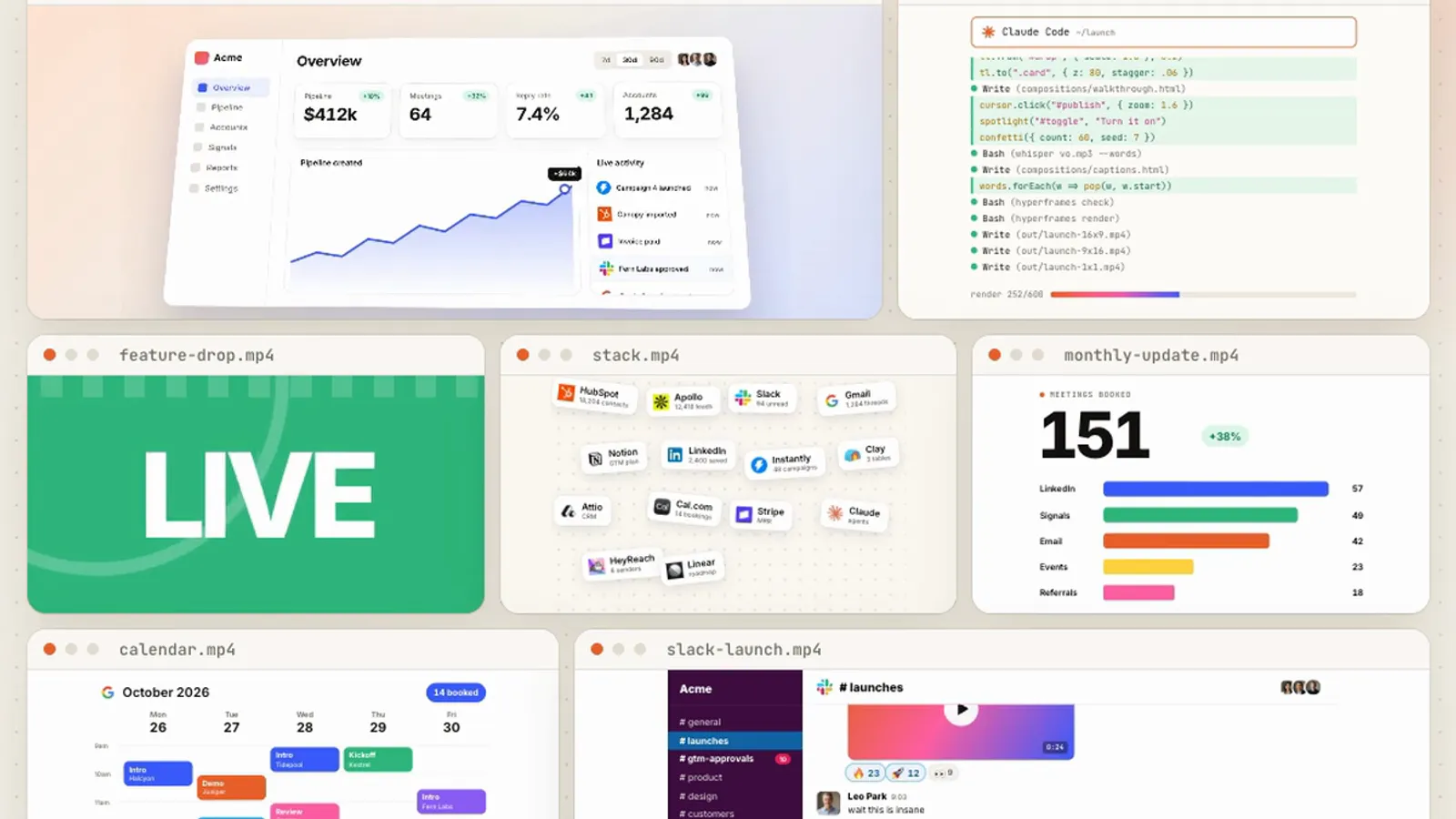
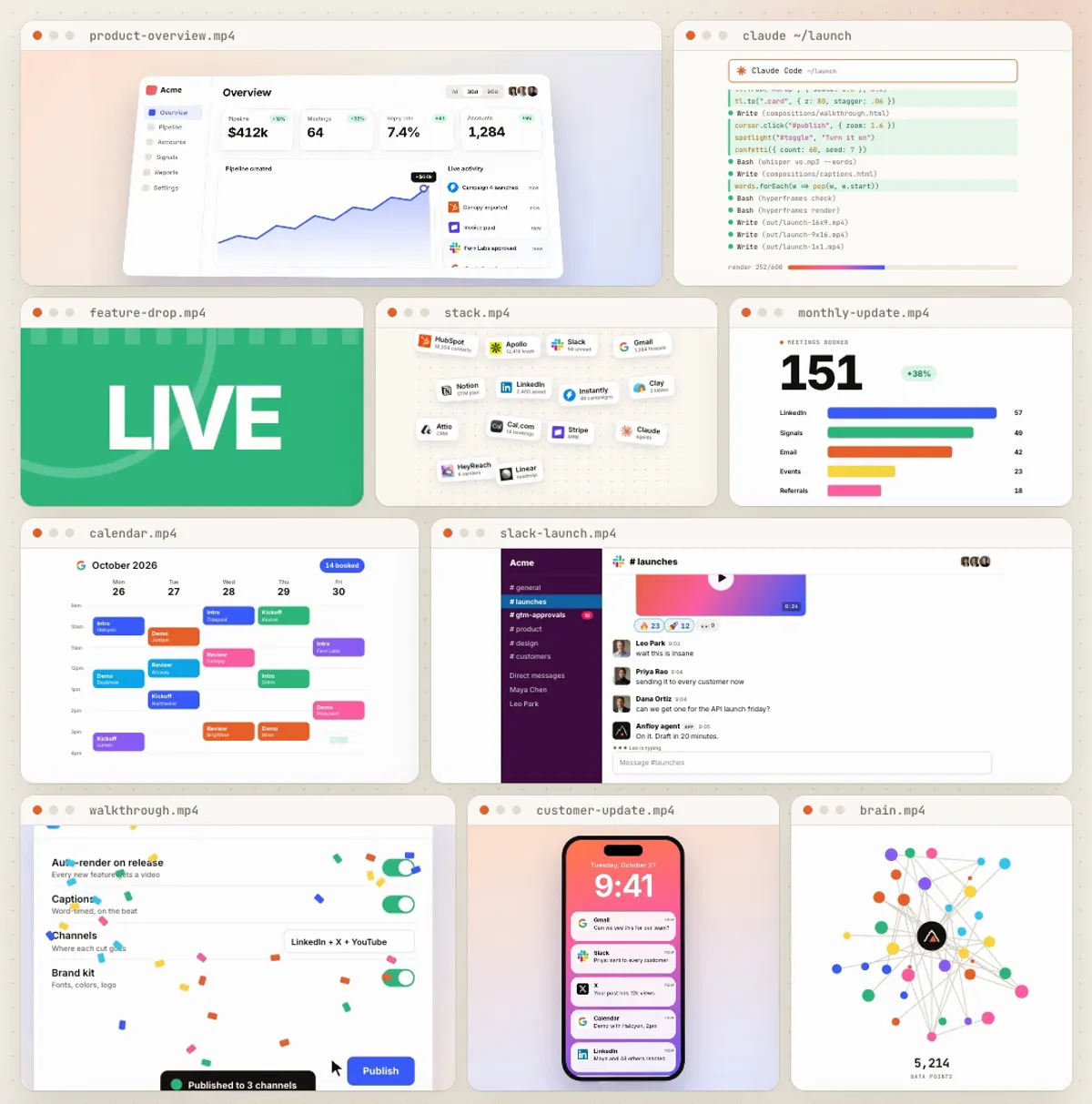
The dashboard, the Slack thread, the calendar, the phone with notifications: we build each one as real HTML at twice the size it appears, then scale it into its window. KPIs count up, chart lines draw, the feed scrolls, reactions climb. Real vendor logos come from their official brand kits; the people and companies on screen are fictional.
5. Walkthroughs: cursor, spotlight, zoom
A product walkthrough is a cursor path, a zoom onto each control, a spotlight that dims everything else, a numbered tooltip, and the state change itself: the toggle slides on, the dropdown opens, the button publishes and confetti fires. Three to five steps per ten seconds, then zoom back out and reset so the loop is seamless.
6. AI footage: still first, then motion
We never go straight from text to video. Text-to-video looks generic. We generate still frames first, pick the best, and only then animate them with image-to-video. Characters stay consistent because every shot starts from the same reference images. Every call writes a line to a spend log before and after it runs, so the bill is never a surprise.
7. Voice and music that sound recorded, not generated
Generated voices sound fake for measurable reasons: dead digital silence between words, too much brightness, and every line flattened to the same loudness. Our fix is an "on set" chain: room tone inside every line, a gentle roll-off above 7 kHz, light compression, a short room reverb sized to the shot, dialogue around -23 LUFS with its natural range, and the whole film mastered to -14 LUFS at the end. When delivery matters, a person reads the line on a phone and the voice changer only swaps the timbre.
8. Captions and cuts on the beat
Whisper gives a timestamp for every word. Captions appear in groups of two to five words and pop on each word's start. We find the music's drop, compute the beat length, and put scene boundaries on the beat grid, so cuts feel intentional even with the sound off.
9. Render and export for every channel
One delivery render, then ffmpeg cuts it for each channel. For loops, we rotate the video so frame zero, the thumbnail LinkedIn shows before playback, is the busiest moment instead of an empty start. GIFs get their own palette at 25 frames per second, because GIF timing is in hundredths of a second and 30 frames per second plays slightly fast.
10. Review every frame before it ships
The agent snapshots the video at every beat and every cut and looks at each still. Text clipped or overlapping, empty icon boxes, a counter showing its final value at frame zero, a line that pops in instead of drawing: the check catches them before a viewer does. Each defect and its fix goes into a short review file.
Five videos we make, and how to build each
Launch film (60 to 90 seconds). The story first, approved word by word. AI footage for people, motion design for the product, one music bed with a drop, the end card on the beat. This is the only type where AI footage is worth its cost.
Feature drop (15 to 25 seconds). Kinetic type for the headline ("Just dropped", the version, "Live for everyone"), the feature shown in rebuilt UI, and one line of payoff. No people needed. Ship it the same day the feature ships.
Product walkthrough (20 to 45 seconds). Steps 4 and 5 above. One task per video, three to five steps, a toast at the end that confirms it worked. These double as onboarding for new customers.
Customer and client updates. The monthly update, the "what's new" email, the result recap. Variables for the customer's name and numbers, rendered in a batch, one video per account.
Weekly content. The same scenes cut for LinkedIn, X and YouTube from one source. The visual at the top of this article is one HTML file with ten scenes running at once.
Mistakes that cost us hours
- Animating the CSS stroke-dashoffset made lines pop in fully drawn in the render instead of drawing. Tween the SVG attribute instead.
- The HTML `<q>` element adds its own quotation marks, so code on screen showed doubled quotes.
- GSAP `fromTo` renders its starting values immediately, so an element meant to slam in later was invisible, or shrunk, at frame zero. Set `immediateRender: false` on later entrances.
- Counters that set their text when the page loads showed the final number at frame zero. Write the text only from the tween.
- Relative tweens (`"+=8"`) come out differently when the renderer seeks to a frame instead of playing through. Use absolute values.
- A grid shrunk to make room for a call-to-action left empty margins on both sides. Re-flow the layout instead of scaling it.
The 10 Claude Code skills
These are the skills our agent uses for every step above, written for any team. Download the folder, put it in your repo's `.claude/skills/`, and ask Claude Code for a video.
- video-brief: the one line, the beats, the length and the aspect ratio per channel, approved before any pixels.
- hyperframes-scene: scenes that render the same every time, with a starter template.
- motion-system: eases, timings, kinetic type and 3D camera moves, plus the defaults to avoid.
- product-ui-recreation: dashboards, Slack threads, calendars and phones rebuilt as live code.
- walkthrough-video: cursor paths, zoom math, spotlights, tooltips and clean loop resets.
- ai-footage: still frames first, image-to-video by model, spend logging and reroll budgets.
- voice-and-music: voiceover, consistent character voices, the on-set voice chain and loudness targets.
- captions-on-the-beat: Whisper word timings, caption groups and the beat grid.
- render-and-export: checks, renders, channel cuts, loop rotation and high-quality GIFs.
- video-review: the frame-by-frame gate and the defects it catches.
curl -L -o video-from-code-skills.zip https://www.anfloy.com/downloads/video-from-code-skills.zip
unzip video-from-code-skills.zip -d .claude/skills/
# then, in Claude Code:
# "Make a 20 second feature drop video for <feature>, 4:5 for LinkedIn"Frequently asked questions
Can Claude Code really make a full product video by itself?
Yes, for motion graphics, product UI, walkthroughs and kinetic type. It writes the scenes, renders them, looks at the frames and fixes what is wrong. A person still approves the script and judges the final cut. For films with people on screen, a person also picks the AI shots.
Do I need to know how to code?
No. You describe the video and approve the brief; Claude Code writes the HTML. Reading a little HTML helps when you want to change one word yourself, and the skills explain where everything lives.
What is HyperFrames and is it free?
HyperFrames is an open-source renderer from HeyGen, licensed Apache 2.0. A scene is an HTML page with a GSAP timeline, and it renders that page to MP4 frame by frame on your own machine. It is free to use.
How much does an AI product video cost to make?
A motion-only video costs nothing beyond your Claude Code plan. With AI footage, the cost is mostly video generation: at October 2026 fal prices, Seedance 2.5 runs $0.57 per second at 720p. Our 72-second launch film came to about $149 in model calls across every version, mostly rerolls.
Which AI video model is best for product videos?
For people talking on camera, Seedance 2.5, because it generates speech and lip movement together. For crowds and wide shots, Wan 3.0. For the product itself, no AI video model: rebuild the UI in code so it stays sharp and accurate.
If you want a team that builds and runs systems like this inside your company, book a call with us.
Let's build
what your
company needs.
Drop your email. We'll send The Custom Agent Blueprint on what we'd build first for a company like yours, before you ever take a meeting.