
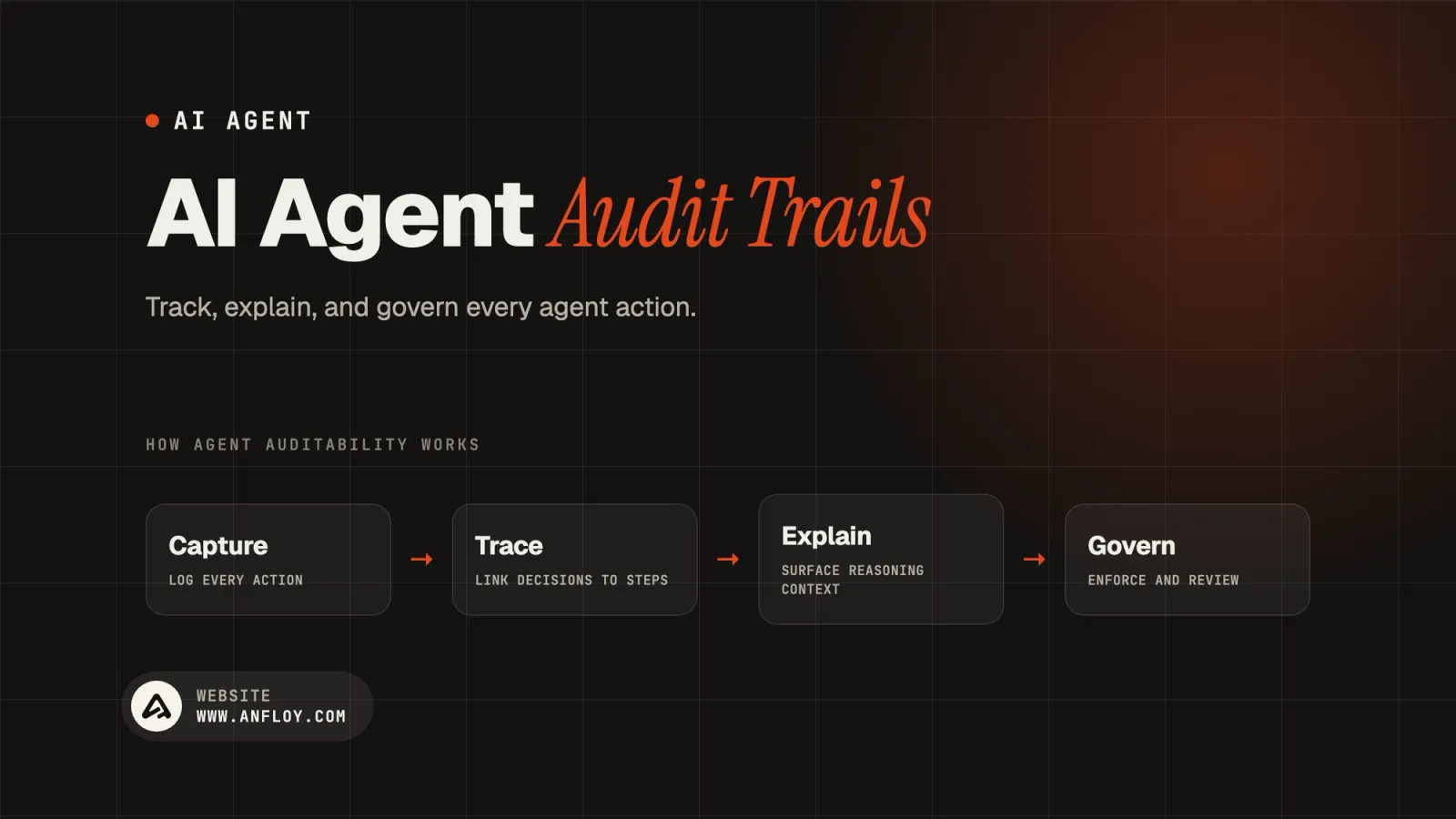
AI Agent Audit Trails: Track, Explain & Govern
Learn what AI agent audit trails are, what to log, how agent auditability works, and how to build traceable AI agent systems for secure and reliable automation.
On this page
- What is an AI agent audit trail?
- Why AI agents need audit trails?
- AI agent audit trail vs AI agent logs
- What should an AI agent audit trail record?
- AI agent audit trail architecture
- Agent-to-agent accountability
- Audit trails for GTM AI agents
- Audit trails for AI sales agents
- AI agent audit trails and data privacy
- Do you need to store the agent's chain of thought?
- AI agent audit trail vs observability
- AI agent audit trail vs version history
- Building an AI agent audit trail
- AI agent audit trail best practices
- Common AI agent audit trail mistakes
- How Anfloy can build AI agent audit trails?
- AI agent audit trail architecture for GTM engineering
- AI agent audit trail checklist
- Conclusion
AI agents are moving from simple conversational interfaces into systems that can retrieve information, call tools, modify records, make decisions, and execute multi-step workflows.
That creates a new operational requirement:
Organizations need to know what an AI agent did, why it did it, what information it used, which tools it called, and what happened afterward.
This is the role of an AI agent audit trail.
An AI agent audit trail creates a chronological and attributable record of an agent's activity.
A useful audit trail can answer:
- Which agent executed the action?
- What triggered the agent?
- Which user or system initiated the workflow?
- What inputs did it receive?
- Which tools did it access?
- What data did it retrieve?
- What actions did it execute?
- What approvals were obtained?
- What errors occurred?
- What changed in the destination system?
- What was the final outcome?
The goal is not to record every technical detail indiscriminately.
The goal is to create enough evidence to reconstruct and evaluate an agent's behavior.
What is an AI agent audit trail?
An AI agent audit trail is a structured record of an AI agent's inputs, decisions, tool interactions, approvals, actions, errors, and outcomes across an agent execution.
A traditional software log may tell you:
API request failed.
An AI agent audit trail needs to provide more context:
Agent lead-router-v2 received a new lead, identified the associated company, queried enrichment data, classified the account as enterprise with 92% confidence, checked account ownership, and routed the lead to the enterprise sales queue.That difference matters because AI agents can perform multiple actions across multiple systems.
The audit trail must therefore capture the execution chain.
Why AI agents need audit trails?
Traditional automation usually follows predefined paths.
For example:

Trigger
 ↓
Condition
 ↓
Action
An AI agent can operate differently:
Goal
 ↓
Observe
 ↓
Reason
 ↓
Choose Tool
 ↓
Retrieve Data
 ↓
Interpret
 ↓
Choose Next Action
 ↓
Execute
 ↓
Evaluate Result
 ↓
Continue / Stop
The system can make several decisions during one execution.
This creates new questions for engineering, security, operations, and compliance teams.
Without sufficient logging, it can be difficult to determine:
- Why an agent made a decision
- Whether the correct data was used
- Whether a tool behaved unexpectedly
- Whether the agent exceeded its permissions
- Whether a human approved the action
- Whether the final result can be reproduced
Auditability therefore becomes part of the agent architecture rather than an optional reporting feature.
AI agent audit trail vs AI agent logs
These concepts overlap but serve different purposes.
AI agent logs
Logs primarily help engineers troubleshoot system behavior.
They may contain:
- Errors
- API requests
- Execution times
- Service responses
- Infrastructure events
AI agent audit trails
Audit trails focus on reconstructing what happened and who or what was responsible.
They may include:
- Agent identity
- User identity
- Trigger
- Input
- Tool calls
- Retrieved information
- Decision metadata
- Approval
- Action
- Result
- Timestamp
A production agent may need both.
Logs help debug the system.
Audit trails help establish accountability.
What should an AI agent audit trail record?
A useful audit trail should capture the lifecycle of an agent execution.
1. Agent identity
Record which agent performed the operation.
Useful fields include:
- Agent ID
- Agent version
- Model
- Workflow version
- Environment
- Deployment version
Agent versioning is particularly important.
If an agent's behavior changes after a prompt, model, tool, or policy update, the organization should be able to identify which version performed the action.
2. Initiating identity
Record who or what initiated the execution.
Possible sources include:
- Human user
- CRM workflow
- API
- Scheduled task
- Another AI agent
- Event trigger
For example:
Initiated By: CRM Workflow
User: system
Trigger: New Qualified Lead
This creates a chain of accountability.
3. Timestamp
Each important event should have a timestamp.
At minimum, capture:
- Execution start
- Tool invocation
- Tool response
- Approval
- Final action
- Execution completion
Timestamps allow teams to reconstruct the sequence of events.
4. Input
Record the information provided to the agent.
For example:
Task:
Qualify this lead and route it to the appropriate sales team.

Lead ID:
L-48291

Account:
Example SaaS
Sensitive information should be handled according to the organization's data policies.
The audit trail should contain enough information to reconstruct the decision without unnecessarily copying sensitive data.
5. Tool calls
Tool usage is one of the most important components of an agent audit trail.
Record:
- Tool name
- Tool version
- Invocation time
- Input parameters
- Result status
- Error
- Execution duration
For example:
Agent
 ↓
CRM Search
 ↓
Enrichment API
 ↓
Account Database
 ↓
CRM Update
Without tool-call records, it can be difficult to determine how an agent reached its final result.
6. Data access
Agents often retrieve information from multiple sources.
The audit system should track:
- Data source
- Record identifier
- Access time
- Purpose
- Result status
- Permission context
For sensitive systems, logging access can be more important than logging the model's internal reasoning.
7. Decision metadata
An audit trail should capture the decision inputs and outputs without assuming that exposing hidden chain-of-thought is necessary or appropriate.
For example:
Decision:
Enterprise Account

Confidence:
0.92

Relevant Factors:
Employee count
Revenue
Existing account segment

Policy:
Enterprise Routing v3
This provides an operational explanation without requiring storage of private model reasoning.
8. Human approval
If an agent requires approval before performing a sensitive action, the audit trail should record:
- Approval required
- Approver
- Approval timestamp
- Approved / rejected
- Action authorized
- Any modifications
Example:
AI Recommendation
      ↓
Human Approval Required
      ↓
Approved by Revenue Operations
      ↓
CRM Update Executed
This creates a clear human-in-the-loop record.
9. Final action
Record what the agent actually changed.
For example:
Action:
Assigned lead to Enterprise Sales

System:
CRM

Previous Owner:
None

New Owner:
Enterprise Queue
This is critical because an agent's recommendation and its actual execution may differ.
The audit trail should distinguish:
Recommended Action
from
Executed Action.
10. Outcome
Finally, record the result.
Possible outcomes include:
- Success
- Failure
- Partial success
- Human escalation
- Timeout
- Policy violation
- Retry
For long-running GTM workflows, outcome tracking can continue beyond the initial execution.
For example:
Agent qualified lead → Sales accepted lead → Meeting booked
This allows teams to connect agent behavior to business outcomes.
AI agent audit trail architecture
A production architecture can look like:

Agent Trigger
                         ↓
                   Agent Runtime
                         ↓
              ┌──────────┼──────────┐
              ↓          ↓          ↓
           Model       Tools      Data
              ↓          ↓          ↓
              └──────────┼──────────┘
                         ↓
                  Policy Checks
                         ↓
                 Human Approval
                         ↓
                  Action Execution
                         ↓
                     Outcome
                         ↓
                  Audit Collector
                         ↓
                 Audit Event Store
                         ↓
          ┌──────────────┼──────────────┐
          ↓              ↓              ↓
      Monitoring      Security      Compliance
The audit collector should ideally receive events from the agent runtime and the systems it interacts with.
This is important because relying only on the agent's own output can create an incomplete record.
Event-based AI agent auditing
A strong architecture treats agent activity as a sequence of events.
For example:
agent.started
agent.input_received
tool.called
tool.completed
data.accessed
decision.created
policy.checked
approval.requested
approval.granted
action.executed
agent.completed
Each event can contain structured metadata.
A simplified event might look like:
{
  "event_type": "tool.called",
  "agent_id": "lead-router",
  "agent_version": "3.2",
  "tool": "crm.search",
  "timestamp": "2026-08-25T12:30:00Z",
  "execution_id": "exec_48291"
}
The exact schema should depend on the organization's infrastructure.
The important principle is consistent event structure.
Use a unique execution ID
Every agent run should have a unique execution identifier.
For example:
Execution ID: exec_48291Every related event uses that identifier.
This allows the organization to reconstruct:
exec_48291
 ├── agent.started
 ├── tool.called
 ├── tool.completed
 ├── decision.created
 ├── policy.checked
 ├── action.executed
 └── agent.completed
Execution IDs become particularly important when multiple agents interact.
Multi-agent audit trails
Multi-agent systems create another layer of complexity.
Consider:

Research Agent
      ↓
Qualification Agent
      ↓
Routing Agent
      ↓
Outreach Agent
The audit system should record both:
- Which agent acted
- Which agent or workflow initiated the action
For example:
Execution: exec_9012
Research Agent
 ↓
Qualification Agent
  ↓
Routing Agent
  ↓
Sales Engagement Agent
This creates an agent lineage.
Without lineage, an organization may know that an action happened but not which agent was responsible for it.
Agent-to-agent accountability
Each agent should have a defined identity and permission boundary.
The audit record can include:
- Parent execution
- Child execution
- Agent ID
- Agent version
- Tool permissions
- Action scope
This creates a trace such as:
User → Workflow → Agent A → Agent B → Tool → External System
That structure becomes increasingly important as agentic systems become more autonomous.
Audit trails for GTM AI agents
GTM Engineering is an especially useful application for AI agent audit trails.
Consider an AI lead qualification agent.
The agent might:
- Receive a new lead.
- Search the CRM.
- Identify the company.
- Enrich the account.
- Analyze the website.
- Determine ICP fit.
- Score the lead.
- Route the lead.
- Update the CRM.
The audit trail should make that entire process reconstructable.
Lead Created
   ↓
CRM Search
   ↓
Account Match
   ↓
Enrichment
   ↓
AI Classification
   ↓
ICP Decision
   ↓
Routing Decision
   ↓
CRM Update
This is especially important when the agent affects sales ownership or customer communication.
Audit trails for AI sales agents
AI sales agents may perform actions such as:
- Account research
- Contact discovery
- Email drafting
- Email sending
- CRM updates
- Lead qualification
- Sales task creation
A useful audit trail should distinguish:
Generated
from
Approved
from
Executed.
For example:
Email Draft Generated
        ↓
Human Review
        ↓
Approved
        ↓
Email Sent
That creates a much stronger accountability model than simply storing the final email.
AI agent audit trails and data privacy
Audit trails can create their own data-protection risks.
Logging everything is not automatically safer.
A log may contain:
- Personal information
- Customer information
- Authentication metadata
- Internal documents
- Proprietary business information
Therefore, audit architecture should consider:
- Data minimization
- Access controls
- Encryption
- Retention periods
- Redaction
- Sensitive-field handling
- Role-based access
- Audit-log integrity
The objective is to preserve accountability without unnecessarily creating another copy of sensitive data.
Do you need to store the agent's chain of thought?
Not necessarily.
An audit trail does not require storing private chain-of-thought reasoning.
Instead, capture decision-relevant evidence.
For example:
Decision:
Lead classified as Enterprise

Evidence:
Employee count > 1,000
Revenue within target range
Enterprise segment matched

Policy:
Enterprise Routing Rule v4

Confidence:
0.94
This provides a useful operational explanation without attempting to preserve hidden reasoning.
For production systems, structured decision metadata is generally more useful than storing unrestricted internal reasoning traces.
AI agent audit trail vs observability
These concepts are related but different.
Observability
Answers:
"Is the system working?"
It focuses on:
- Latency
- Errors
- Throughput
- Tool failures
- Resource usage
Auditability
Answers:
"What happened, who initiated it, and what action was taken?"
It focuses on:
- Identity
- Events
- Permissions
- Actions
- Approvals
- Outcomes
A mature agent platform needs both.
Observability keeps the system healthy.
Audit trails make the system accountable.
AI agent audit trail vs version history
Version history answers:
"What changed in the system?"
Audit trails answer:
"What did the system do?"
Both are necessary.
If an agent behaves differently after a deployment, you need to know:
Which version was running?
and:
What did that version actually do?
This is why audit events should reference:
- Agent version
- Prompt/configuration version
- Tool version
- Workflow version
- Policy version
Building an AI agent audit trail
A practical implementation can follow these steps.
Step 1: Identify high-impact agent actions
Start with agents that:
- Modify customer data
- Send communications
- Change ownership
- Access sensitive information
- Execute financial actions
- Trigger downstream workflows
These deserve stronger auditability.
Step 2: Define the event taxonomy
Create standardized events such as:
- Started
- Input received
- Tool called
- Tool completed
- Data accessed
- Decision created
- Approval requested
- Approval granted
- Action executed
- Failed
- Escalated
- Completed
Step 3: Assign execution IDs
Every agent execution should have a unique identifier.
Step 4: Version the agent
Record the exact:
- Model
- Agent version
- Workflow version
- Tool version
- Policy version
Step 5: Capture tool calls
Record the tool invocation and result metadata.
Avoid storing unnecessary sensitive payloads.
Step 6: Capture decisions
Store structured decision information:
- Decision
- Evidence
- Confidence
- Policy
- Result
Step 7: Capture human intervention
Record:
- Who approved
- What was approved
- When
- Whether the action changed
Step 8: Capture final state
Record what actually happened in the destination system.
Step 9: Secure the audit store
Use appropriate:
- Authentication
- Authorization
- Encryption
- Retention
- Access monitoring
Step 10: Test the audit trail
A critical test is:
Can an engineer reconstruct the complete agent execution from the audit record?
If the answer is no, the audit architecture has gaps.
AI agent audit trail best practices
1. Log events, not just Final Outputs
The final answer is insufficient for multi-step agents.
2. Version everything relevant
Model and agent behavior can change.
3. Separate audit data from application data
This makes governance and retention easier.
4. Use structured events
Structured data is easier to query and analyze than free-form logs.
5. Protect sensitive information
Do not blindly copy every model input and tool response into the audit system.
6. Preserve event order
Timestamps and execution IDs should allow reconstruction.
7. Record human intervention
Human approval is part of the execution history.
8. Track failures
Failed actions are often as important as successful actions.
9. Monitor agent-to-agent calls
Multi-agent systems require lineage.
10. Connect actions to outcomes
For GTM systems, the ultimate question is whether an automated action produced the intended business result.
Common AI agent audit trail mistakes
Logging only the final response
This hides the actions that produced the result.
Logging everything without classification
This creates enormous amounts of sensitive and difficult-to-use data.
Not versioning agents
You may know what happened but not which system version caused it.
No execution IDs
Events become difficult to associate with a specific run.
Ignoring human approvals
This creates an incomplete accountability chain.
Not recording tool calls
You lose visibility into external actions.
No retention policy
Audit records can grow indefinitely.
Treating logs as immutable
Audit records may require stronger integrity controls than ordinary application logs.
How Anfloy can build AI agent audit trails?
For GTM Engineering systems, Anfloy can design auditability into the agent architecture from the beginning.
For example, consider an AI lead-routing agent:

New Lead
   ↓
Agent Trigger
   ↓
Execution ID
   ↓
CRM Lookup
   ↓
Enrichment
   ↓
AI Qualification
   ↓
Routing Decision
   ↓
Policy Check
   ↓
CRM Update
   ↓
Sales Notification
   ↓
Outcome
Each step can generate a structured audit event.
The resulting record can answer:
What happened?
Which agent performed it?
Which version was running?
What data did it use?
Which tools did it access?
What decision did it make?
Was human approval required?
What did the system change?
Did the workflow succeed?
This makes AI automation more observable, controllable, and accountable.
AI agent audit trail architecture for GTM engineering
A mature Anfloy implementation can connect:
CRM → Data → AI Agents → Tools → Policies → Human Approval → Sales Actions → Audit Store
For example:
CRM
                    ↓
              Agent Trigger
                    ↓
             Agent Runtime
                    ↓
          ┌─────────┼─────────┐
          ↓         ↓         ↓
      Enrichment  Research  Signals
          ↓         ↓         ↓
          └─────────┼─────────┘
                    ↓
              AI Decision
                    ↓
              Policy Check
                    ↓
              Human Review
                    ↓
              Sales Action
                    ↓
                Outcome
                    ↓
             Audit Trail
The audit layer should exist across the workflow rather than being added after the agent has already been deployed.
AI agent audit trail checklist
Before deploying a production AI agent, verify:
- Agent ID is recorded.
- Agent version is recorded.
- Model version is recorded where applicable.
- Workflow version is recorded.
- Execution ID exists.
- Initiating user or system is identifiable.
- Inputs are appropriately captured.
- Tool calls are recorded.
- Data access is traceable.
- Decisions have structured metadata.
- Confidence is recorded where useful.
- Policy checks are recorded.
- Human approvals are recorded.
- Executed actions are recorded.
- Errors are recorded.
- Agent-to-agent relationships are traceable.
- Outcomes are captured.
- Sensitive data is protected.
- Retention policies exist.
- Audit access is controlled.
- Audit records can be queried and reconstructed.
Conclusion
AI agents create a new class of operational systems.
They can retrieve data, use tools, make decisions, interact with other agents, and change external systems.
That makes auditability a core design requirement.
A strong AI agent audit trail connects:
Identity → Trigger → Input → Data → Tool → Decision → Approval → Action → Outcome
The objective is not to record every token or preserve every internal reasoning step.
The objective is to create a reliable, structured record that allows the organization to understand and verify what happened.
For GTM Engineering, this becomes particularly important as AI agents begin handling:
- Lead qualification
- Account research
- Data enrichment
- Lead routing
- Sales workflows
- CRM updates
- Signal detection
- Customer operations
The next generation of GTM systems will not be judged only by how autonomous they are.
They will also be judged by how observable, controllable, explainable, and accountable they are.
Autonomy creates leverage. Audit trails make that autonomy governable.
Frequently Asked Questions
Why do AI agents need audit trails?
AI agents can perform multi-step actions across multiple systems. Audit trails provide visibility into what happened and create accountability when an agent makes an unexpected decision or executes an incorrect action.
What should an AI agent audit log contain?
It should generally contain agent identity, execution ID, timestamps, triggering identity, relevant inputs, tool calls, data access, decision metadata, approvals, actions, errors, and outcomes. Sensitive information should be minimized and protected.
Should AI agents log their chain of thought?
An audit trail does not need to store private chain-of-thought reasoning. Structured decision metadata, relevant evidence, policy references, tool calls, and final actions can provide useful auditability without storing unrestricted internal reasoning.
What is the difference between AI agent observability and auditability?
Observability focuses on whether an agent system is functioning correctly. Auditability focuses on reconstructing what the agent did, why an action was authorized, and what changed as a result.
How do you audit an AI agent?
Create a structured event model, assign unique execution IDs, record agent and workflow versions, capture tool calls and decisions, track approvals and actions, secure the audit store, and regularly test whether an execution can be reconstructed.
Do multi-agent systems need separate audit trails?
They need traceable agent lineage. Each agent should have its own identity while executions should maintain parent-child relationships so the organization can reconstruct how one agent triggered another.
How long should AI agent audit logs be retained?
There is no universal retention period. Retention should depend on the sensitivity of the system, organizational policy, contractual requirements, applicable regulations, and the business purpose of the records.

Let's build
what your
company needs.
Drop your email. We'll send The Custom Agent Blueprint on what we'd build first for a company like yours, before you ever take a meeting.