
GTM Workflows: Guide to How Revenue Actually Moves
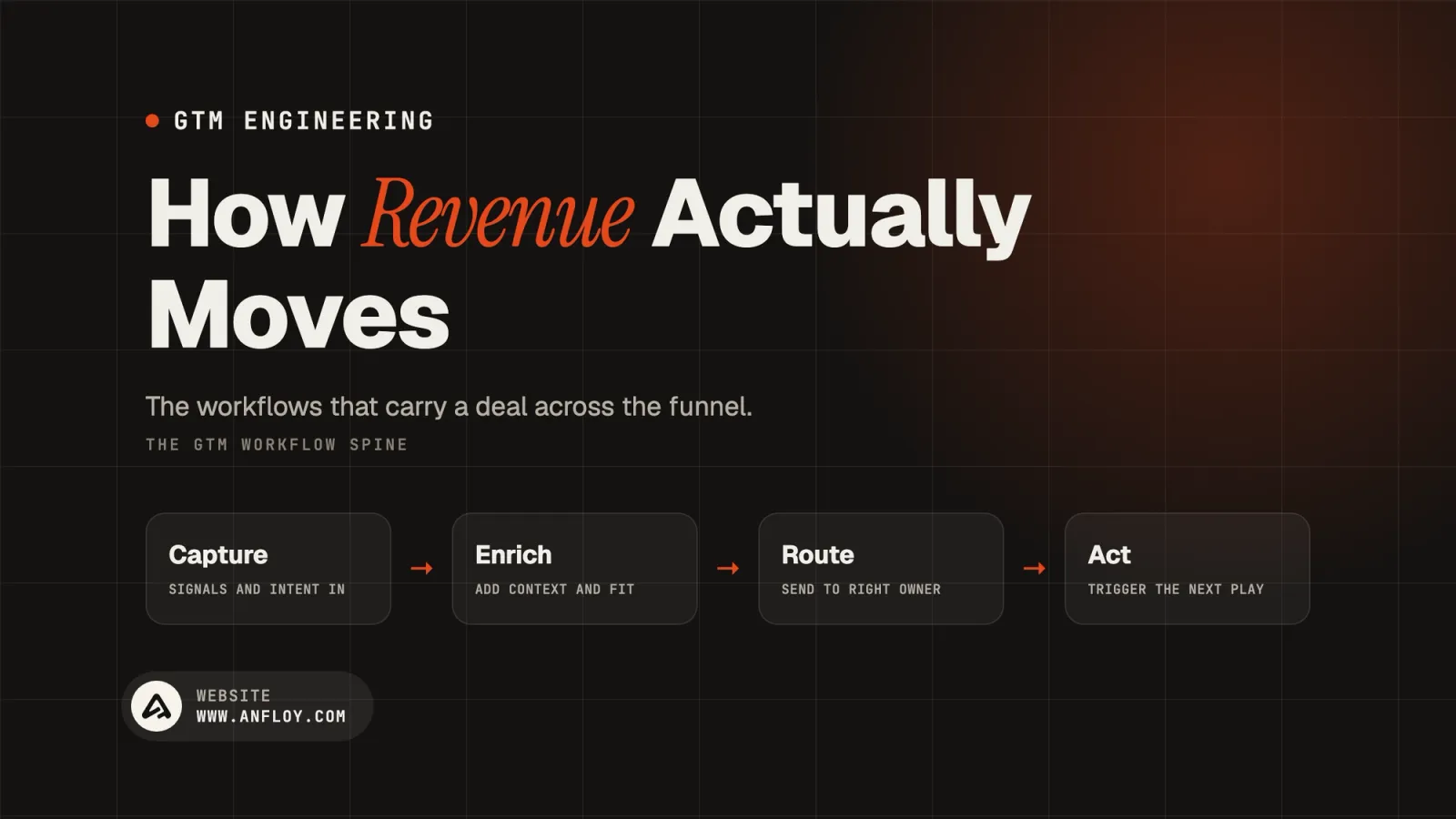
A complete guide to GTM workflows: what they are, the core attributes every workflow shares, the major workflow types across the funnel, and how to design ones that hold up at scale.
On this page
- What is a GTM workflow?
- The core attributes every GTM workflow shares
- GTM workflows across the customer lifecycle
- Manual, automated, and AI-assisted workflows
- How to design a GTM workflow that holds up?
- What are the common failure modes in GTM workflows?
- A worked example: One signal, five connected workflows
- How Anfloy builds GTM workflows?
- Conclusion
Ask five people at the same company how a lead actually moves from a form submission to a closed deal, and you'll usually get five different answers, each partially right, none of them complete.
That gap between what a team thinks happens and what actually happens is where GTM workflows live, and it's usually a bigger source of lost revenue than any individual tool or tactic.
A GTM workflow is the connective tissue of a revenue organization: the defined sequence of triggers, actions, and handoffs that moves a prospect, a signal, or an account from one state to the next.
Get them right and the whole motion runs with less friction and less manual intervention. Leave them undefined and every team ends up improvising the same process slightly differently, with no consistent way to diagnose where it's breaking.
This guide covers what a GTM workflow actually is, the core attributes every workflow is built from, the major workflow types spanning the full customer lifecycle, and how to design and maintain ones that hold up as volume and complexity grow.
What is a GTM workflow?
A GTM workflow is a defined, repeatable sequence of steps that moves a lead, account, or signal through a specific stage of the revenue process, triggered by a defined event and ending in a defined outcome.
It's the operational unit underneath a GTM motion: strategy sets the direction, but workflows are what actually execute it, day after day, whether or not anyone is watching.
The distinction between a workflow and a general process is specificity. "We qualify leads" is a process description.
"When a form is submitted, enrich the record, score it against defined ICP criteria, and route it to the appropriate rep within five minutes" is a workflow, precise enough to build, measure, and debug.
This precision is what separates GTM engineering from generic GTM strategy: engineering is the discipline of turning the second kind of description into something that actually runs.
The core attributes every GTM workflow shares
Regardless of what a workflow does, marketing, sales, or customer success, it's built from the same set of underlying components.
Naming these separately is what makes a workflow debuggable rather than a black box someone half-remembers building.
Trigger
The event that starts the workflow: a form submission, a signal detected in the product, a deal stage change, a scheduled interval.
Every workflow needs a clearly defined trigger; a workflow that starts "whenever someone remembers to run it" isn't really a workflow yet.
Steps and actions
The sequence of operations the workflow performs: enrichment, scoring, a data update, a message sent, a task created.
Each step should have a clear input and a clear output, so a failure at any point in the chain is traceable to a specific step rather than a vague "something went wrong."
Systems touched
The tools the workflow reads from and writes to, the CRM, an enrichment provider, a sales engagement platform, Slack.
This is where workflow design intersects directly with GTM tech stack architecture; a workflow spanning five systems is only as reliable as the least reliable integration in that chain.
Owner
The person or team accountable for the workflow functioning correctly, not the person who happened to build it originally. Workflows without a named owner are the ones most likely to quietly break and stay broken, since no one considers fixing it their job.
SLA
The expected time between trigger and completion. A lead routing workflow with no defined response-time expectation leaves speed to individual habit instead of a system, and speed is one of the strongest levers in the entire revenue funnel.
Exception handling
What happens when a step fails or a record doesn't cleanly fit the expected pattern: missing data, an API timeout, an edge case the workflow wasn't designed for.
This is the attribute most workflows skip entirely, and it's almost always the reason a workflow that worked fine for months suddenly starts silently losing records.
GTM workflows across the customer lifecycle
GTM workflows aren't one category, they span the full customer journey, and each stage has a distinct job.
Mapping them out this way is what makes gaps visible: most companies have some stages tightly automated and others running almost entirely on manual effort, without realizing how uneven the coverage actually is.
Lead capture and enrichment
Triggered the moment a new contact or account enters the pipeline, whether through a form, an import, or a detected signal.
The workflow appends firmographic and contact data before anyone downstream has to act on an incomplete record, the same discipline covered in AI for CRM data enrichment.
Lead scoring and qualification
Triggered after enrichment completes, evaluating a lead against defined fit and intent criteria to produce a score or a qualification flag, following the same model-building discipline covered in lead scoring.
Routing and assignment
Triggered once a lead is scored, deciding which rep, team, or queue owns it based on territory, account history, capacity, and score, the full mechanics of which are covered in how to build a lead routing system.
Outreach and sequencing
Triggered by routing or by a live signal, generating and sending the first touch, then managing the cadence of follow-ups until a reply, a meeting, or a defined exit condition is reached.
Meeting-to-opportunity handoff
Triggered when a meeting is booked or a qualifying conversation happens, moving a lead from marketing or SDR ownership into a formal sales opportunity with the context from earlier stages carried forward rather than lost in the handoff.
Pipeline and deal-risk monitoring
Running on a schedule rather than a single trigger, evaluating open deals against risk signals, stalled engagement, stage age, sentiment, and surfacing action items before a deal quietly goes cold, the same territory covered in AI for pipeline management.
Onboarding and activation
Triggered at close, moving a new customer through setup, initial value realization, and the handoff from sales to customer success, with clear milestones rather than an undefined "someone will reach out."
Expansion and renewal
Triggered by usage thresholds, contract dates, or account growth signals, surfacing upsell and renewal opportunities to the right owner before a renewal date arrives as a surprise rather than a planned motion.
Churn risk and win-back
Triggered by usage decline, support escalation patterns, or a missed renewal, flagging accounts for intervention or moving lapsed customers into a structured win-back sequence rather than letting them disappear silently.
Manual, automated, and AI-assisted workflows
Not every workflow needs the same level of sophistication, and matching the right execution model to the right workflow is as important as the workflow logic itself.
| Model | How it runs | Best suited for | Weakness |
|---|---|---|---|
| Manual | A person executes each step by hand | Low-volume, high-complexity, judgment-heavy work | Doesn't scale; inconsistent by nature of relying on individual habit |
| Rule-based automation | Fixed if-then logic runs without human intervention | High-volume, deterministic steps with clear rules | Breaks or produces wrong output the moment an input falls outside the rules |
| AI-assisted | A model interprets ambiguous input and makes a judgment call within defined guardrails | Steps requiring interpretation: sentiment, personalization, unstructured data | Needs governance and confidence thresholds to avoid silent errors |
Most mature GTM workflows end up as a blend across a single sequence: rule-based automation handling the deterministic steps (enrichment lookups, CRM updates, scheduling), and AI-assisted logic handling the steps that require real interpretation (personalizing a message, classifying a reply, deciding whether a signal is strong enough to act on).
Treating an entire workflow as purely one model or the other usually means either automating something that genuinely needs judgment, or paying a person to do something a rule could handle reliably.
How to design a GTM workflow that holds up?
Start from the outcome, not the tool.
Define what the workflow is actually meant to produce, a qualified lead routed within five minutes, a deal flagged before it stalls, before choosing which systems and automation to build it with.
Workflows designed backward from a tool's default capabilities tend to fit the tool better than they fit the business.
Map every system the workflow will touch before building anything.
A workflow spanning the CRM, an enrichment provider, and a sequencing tool is only as reliable as the shakiest connection in that chain. Knowing that upfront changes where you invest in error handling.
Define the trigger precisely.
"When a lead comes in" is vague enough to mean different things to different systems. "When a form submission creates a new contact record with no existing account match" is specific enough to build and test against.
Write the exception path before writing the happy path.
What happens when enrichment returns nothing, when a field is missing, when two systems disagree about a record.
Workflows that only account for the expected case are the ones that fail silently the first time reality doesn't cooperate.
Assign a named owner, not a team.
"Marketing ops owns it" diffuses responsibility the moment something breaks. A specific person accountable for a specific workflow is far more likely to actually notice and fix a failure.
Instrument it before you need to debug it.
Logging, alerts on failure, and visibility into how often the workflow actually completes successfully should be built alongside the workflow itself, not added after the first unexplained gap in the funnel.
Review on a defined cadence, not only when something visibly breaks.
Workflows drift as tools change, teams grow, and definitions evolve. A workflow that was correct at launch can be quietly wrong six months later without ever throwing an error.
Want a clear picture of which of your workflows are actually reliable right now? Get a free AI infrastructure audit and we'll map the gaps.
What are the common failure modes in GTM workflows?
No owner, so no one notices when it breaks.
This is the single most common root cause behind a workflow that quietly stopped working weeks before anyone realized.
Built for the happy path only.
A workflow that assumes every input arrives clean and complete will handle a small fraction of real-world cases correctly and fail unpredictably on the rest.
Too much manual glue between automated steps.
A workflow that's "mostly automated" except for one manual handoff a person has to remember to perform is only as reliable as that person's memory on a given day.
No visibility into completion rate.
Without tracking how often a workflow actually finishes successfully, a slow degradation, ninety percent completion dropping to sixty over a few months, can go completely unnoticed until pipeline is visibly affected.
Workflows built in isolation from each other.
A lead scoring workflow and a routing workflow that were built by different people at different times, without a shared understanding of how they should interact, tend to produce inconsistent results at the handoff point between them, the same architectural gap covered in composable data architecture for GTM stacks.
A worked example: One signal, five connected workflows
A single buying signal, a prospect visiting a pricing page three times in a week, touches five distinct workflows in sequence, each with its own trigger and owner, even though it feels like one continuous motion to the person experiencing it.
The signal detection workflow fires first, recognizing the pattern and creating or updating a lead record. The enrichment workflow triggers next, appending firmographic data if the record is new or incomplete.
The scoring workflow evaluates the enriched record against fit and intent criteria, producing a score that reflects both the account's ICP fit and the strength of this specific signal. The routing workflow uses that score, along with territory and existing account ownership, to assign the lead to a specific rep within a defined SLA.
Finally, the outreach workflow generates a signal-specific message referencing the pricing page activity and enrolls the contact in a sequence, or flags it for the rep to review first if the confidence score is borderline.
No single workflow in that chain does the whole job, and that's the point. Each one has a narrow, well-defined responsibility, which is what makes the overall system debuggable: if a lead doesn't get contacted, the question isn't "what went wrong with our GTM," it's "which of these five specific workflows failed," a question with a findable answer.
How Anfloy builds GTM workflows?
Anfloy designs GTM workflows as connected systems, not isolated automations built one at a time without a shared architecture underneath them.
Every engagement starts by mapping the actual sequence of triggers, systems, and handoffs a business runs today, then identifies where manual glue, missing exception handling, or absent ownership is causing the real leaks, before building or rebuilding anything. This is the same end-to-end discipline covered in how to automate GTM workflows end to end.
Every workflow we build ships with defined triggers, exception handling, and instrumentation from day one, deployed on infrastructure you own outright, so reliability doesn't depend on our continued involvement to keep it running.
Not sure which of your workflows are worth fixing first? See how our process works before scoping a build.
Conclusion
GTM workflows are the actual mechanism behind a revenue motion, not the strategy slide describing it. A GTM strategy can sound coherent in a planning meeting and still fall apart in practice if the underlying workflows, the triggers, the handoffs, the exception paths, were never actually defined.
Strategy sets the direction; workflows are what execute it every single day, whether or not anyone is in the room to watch.
The pattern worth remembering across everything in this guide: every workflow, from lead capture through renewal, is built from the same small set of attributes, a trigger, a sequence of steps, the systems it touches, an owner, an SLA, and a defined way to handle the case that doesn't fit cleanly.
Companies that struggle with GTM efficiency usually aren't missing sophisticated tools. They're missing one or more of those attributes on the workflows they already have, most often a named owner or a real exception path, and that gap is what turns an occasional edge case into a recurring, silent leak in the funnel.
Getting this right isn't a one-time project either. Tools change, teams grow, ICPs shift, and a workflow that was correctly designed a year ago can be quietly wrong today without ever throwing a visible error.
The companies with the most efficient GTM operations treat their workflows the way a good engineering team treats production code: mapped, owned, instrumented, and reviewed on a real cadence, not configured once and assumed to still be working.
Ready to map your actual GTM workflows and find where the real gaps are? Book a call, no decks, no demos, just a working session on what to fix first.
Frequently Asked Questions
What's the difference between a GTM workflow and GTM automation?
GTM workflow describes the defined sequence itself, the trigger, steps, systems, and owner. GTM automation describes the mechanism that executes that sequence without manual intervention. A workflow can exist and be run manually; automation is what makes it run without a person operating each step.
How many GTM workflows does a typical company actually need?
It varies by business, but most B2B revenue organizations end up with somewhere between ten and thirty distinct workflows once lead capture, scoring, routing, outreach, pipeline monitoring, onboarding, and renewal are all accounted for separately. The number matters less than whether each one has a clear owner and a defined exception path.
Should every workflow be fully automated?
No. Low-volume, judgment-heavy workflows are often better left manual, or handled with AI assistance under human review, rather than forced into rigid automation that can't handle the nuance the situation actually requires. The right question is which execution model fits each specific workflow, not whether automation is universally better.
What's the most common reason a GTM workflow breaks?
Missing exception handling combined with no named owner. A workflow that only accounts for the expected case will eventually hit an input it wasn't built for, and without someone accountable for noticing, that failure can persist for months before anyone traces a funnel problem back to its source.
How do I know if my current GTM workflows are actually working?
Track completion rate, not just existence. A workflow that technically exists but only completes successfully sixty percent of the time is quietly losing nearly half the records that pass through it, a gap that's invisible without instrumentation specifically built to measure it.
Let's build
what your
company needs.
Drop your email. We'll send The Custom Agent Blueprint on what we'd build first for a company like yours, before you ever take a meeting.