
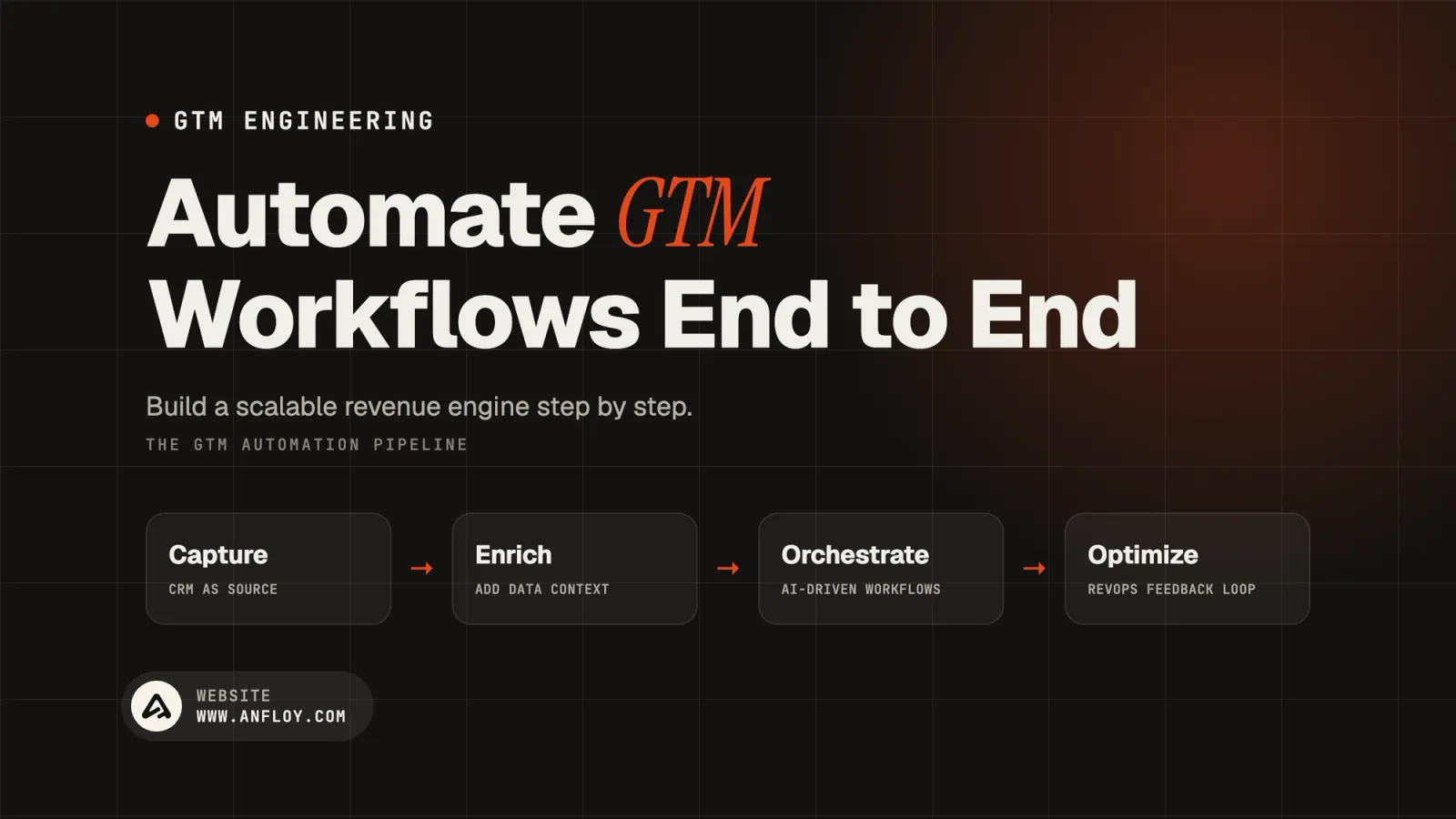
How to Automate GTM Workflows End to End
Learn how to automate GTM workflows end to end using CRM, AI, enrichment, workflow automation, and Revenue Operations to build a scalable revenue engine.
On this page
- What is end-to-end GTM workflow automation?
- Why automate GTM workflows end to end?
- The difference between task automation and end-to-end automation
- The end-to-end GTM automation architecture
- Step 1: Map the entire GTM lifecycle
- Step 2: Identify the highest-value workflows
- Step 3: Standardize your CRM
- Step 4: Build the customer data layer
- Step 5: Automate lead capture and enrichment
- Step 6: Automate ICP qualification
- Step 7: Add AI where reasoning is required
- Step 8: Automate lead routing
- Step 9: Automate sales activation
- Step 10: Automate opportunity workflows
- Step 11: Automate customer handoffs
- Step 12: Automate customer onboarding
- Step 13: Automate expansion and renewal signals
- Step 14: Close the feedback loop
- GTM Automation technology stack
- How the tools work together?
- Human-in-the-loop GTM automation
- Error handling is part of the workflow
- Monitoring and observability
- How to scale GTM automation?
- The GTM automation maturity model
- How Anfloy builds end-to-end GTM automation?
- How much does end-to-end GTM automation cost?
- How to measure GTM automation ROI?
- Final GTM automation checklist
- Conclusion
Go-to-market teams rarely struggle because they lack software.
They struggle because their software does not work together.
A lead enters through a website form. Someone manually enriches the company. Another person checks whether the account matches the ICP. A sales representative researches the prospect. Revenue Operations updates the CRM. Marketing sends follow-up emails. Customer Success receives the account only after the deal closes.
Every handoff creates friction.
The goal of end-to-end GTM workflow automation is to connect these activities into one continuous system.
Instead of automating a single task, the organization automates the movement of information and actions across the entire customer lifecycle.
A modern automated GTM workflow can move from:
Demand → Capture → Enrichment → Qualification → Routing → Sales → Opportunity → Customer → Expansion
with human intervention occurring where judgment, relationships, or approval are required.
This guide explains how to design and implement end-to-end GTM automation in 2026, which workflows to automate first, how AI fits into the architecture, and how to avoid creating a fragile collection of disconnected automations.
What is end-to-end GTM workflow automation?
End-to-end GTM workflow automation is the process of connecting multiple go-to-market activities so that data, decisions, and actions move automatically from one stage of the customer lifecycle to the next.
Instead of automating individual tasks, the organization designs an interconnected revenue workflow.
For example:

Visitor
   ↓
Lead Capture
   ↓
CRM
   ↓
Data Enrichment
   ↓
ICP Qualification
   ↓
AI Scoring
   ↓
Lead Routing
   ↓
Sales Engagement
   ↓
Opportunity
   ↓
Customer
   ↓
Onboarding
   ↓
Expansion
   ↓
Renewal
Each stage can trigger the next stage based on predefined rules, customer behavior, or AI-generated signals.
The result is a connected GTM operating system.
Why automate GTM workflows end to end?
Automating one process can save time.
Automating the entire customer journey can change how the revenue organization operates.
Common benefits include:
- Faster lead response
- Lower manual workload
- Better CRM data
- Consistent lead qualification
- Faster sales execution
- Improved customer handoffs
- Better forecasting
- Higher operational visibility
- More scalable revenue operations
The key advantage is not simply speed.
It is consistency.
Every qualified account can follow the same operational process without depending on someone remembering the next step.
The difference between task automation and end-to-end automation
These concepts are often confused.
Task automation
A single repetitive activity is automated.
Example:
When a form is submitted, create a CRM contact.
Useful, but limited.
End-to-end automation
Multiple connected activities are automated.
Example:
When a target account submits a form, enrich the company, identify the contact's role, evaluate ICP fit, calculate qualification, assign the correct owner, create a sales task, notify the representative, and update reporting.
The second workflow creates substantially more operational leverage because it connects multiple stages.
The end-to-end GTM automation architecture
A scalable architecture generally contains several layers.
GTM Strategy
                      │
                      ▼
                  Customer Data
                      │
          ┌───────────┴───────────┐
          ▼                       ▼
         CRM                  Enrichment
          │                       │
          └───────────┬───────────┘
                      ▼
                 AI / Logic
                      │
                      ▼
              Workflow Engine
                      │
        ┌─────────────┼─────────────┐
        ▼             ▼             ▼
     Marketing       Sales      Customer Success
        │             │             │
        └─────────────┼─────────────┘
                      ▼
                 Revenue Data
                      │
                      ▼
                 Optimization
The architecture should separate:
- Data
- Business logic
- AI reasoning
- Workflow execution
- Human decisions
- Reporting
This separation makes automation easier to maintain.
Step 1: Map the entire GTM lifecycle
Before automating anything, document the current customer journey.
A typical B2B lifecycle includes:
- Visitor
- Lead
- Marketing Qualified Lead
- Sales Qualified Lead
- Opportunity
- Customer
- Onboarding
- Expansion
- Renewal
For every stage, document:
- Trigger
- Required data
- Decision criteria
- Owner
- Action
- Output
- Next stage
This becomes the automation blueprint.
Step 2: Identify the highest-value workflows
Do not automate everything simultaneously.
Prioritize workflows that are:
- Repetitive
- High volume
- Rule-based
- Time-consuming
- Measurable
- Connected to revenue
Examples include:
- Lead routing
- Account enrichment
- Lead qualification
- CRM updates
- Sales research
- Customer onboarding
- Renewal alerts
A workflow that takes five minutes but runs 20,000 times per year may be a better automation opportunity than a complex workflow used once a month.
Step 3: Standardize your CRM
The CRM should provide the operational backbone.
Before automation, standardize:
- Lifecycle stages
- Lead status
- Account ownership
- Opportunity stages
- Required fields
- Customer segments
- Qualification criteria
For example:
Lead
  ↓
MQL
  ↓
SQL
  ↓
Opportunity
  ↓
Customer
Every automation should understand these stages.
If lifecycle definitions are inconsistent, automation simply scales the inconsistency.
Step 4: Build the customer data layer
Automation depends on reliable information.
The data layer may include:
- CRM data
- Firmographic data
- Technographic data
- Intent signals
- Product data
- Website activity
- Sales activity
- Customer engagement
Data enrichment platforms can supplement missing information.
The goal is not to collect every available attribute.
The goal is to collect the information required to make a specific GTM decision.
Step 5: Automate lead capture and enrichment
The first major automation opportunity is usually the transition from lead capture to usable customer intelligence.
A workflow can look like:
New Lead
   ↓
Validate Email
   ↓
Identify Company
   ↓
Enrich Account
   ↓
Enrich Contact
   ↓
Check Existing CRM Record
   ↓
Update CRM
This eliminates repetitive research and creates a consistent customer record.
Step 6: Automate ICP qualification
Once the lead is enriched, determine whether it fits the target market.
Qualification can use:
Firmographic signals
- Industry
- Company size
- Revenue
- Geography
Technographic signals
- Existing software
- Technology stack
- Infrastructure
Business signals
- Hiring
- Funding
- Expansion
- Product launches
Role signals
- Seniority
- Department
- Decision-making authority
The workflow can combine these signals into a qualification category.
For deterministic criteria, use rules.
For ambiguous information, AI can provide classification and reasoning.
Step 7: Add AI where reasoning is required
AI is useful when the workflow requires interpretation rather than simple conditions.
Good AI use cases include:
- Website analysis
- Company classification
- Account research
- Lead qualification
- Buying signal interpretation
- Personalization research
- Opportunity summaries
For example:
Enriched Account
       ↓
AI Analysis
       ↓
ICP Fit
       ↓
Reason
       ↓
Recommended Action
AI should produce structured outputs whenever possible.
That allows downstream workflows to use the result reliably.
Step 8: Automate lead routing
Once qualification is complete, route the lead to the appropriate owner.
Routing criteria may include:
- Territory
- Company size
- Industry
- Product
- Account tier
- Sales segment
- Lead score
Example:
Qualified Lead
      ↓
Company Size
      ↓
 ┌────┴────┐
 ▼         ▼
SMB     Enterprise
 │          │
 ▼          ▼
SMB Rep   Enterprise Rep
Routing should be deterministic whenever possible.
This reduces ambiguity and response time.
Step 9: Automate sales activation
After routing, create the next action automatically.
Depending on the sales process, that could mean:
- Create a sales task
- Add the account to a sequence
- Notify the representative
- Generate account research
- Prepare a personalized brief
- Schedule follow-up
The objective is to reduce the time between qualification and human action.
Step 10: Automate opportunity workflows
GTM automation should continue after a lead becomes an opportunity.
Automated workflows can monitor:
- Opportunity stage
- Deal age
- Activity levels
- Stakeholder engagement
- Next steps
- Close dates
AI can identify unusual patterns and surface potential risks.
For example:
An opportunity has remained in the same stage for 18 days and has no recent stakeholder activity.
The system can alert the owner instead of waiting for a weekly pipeline review.
Step 11: Automate customer handoffs
The sales-to-customer-success transition is often one of the weakest points in the customer lifecycle.
When an opportunity becomes a customer, automation can:
- Create the customer record
- Assign Customer Success ownership
- Create onboarding tasks
- Transfer account information
- Send internal notifications
- Schedule onboarding
- Update lifecycle stages
This reduces information loss during handoffs.
Step 12: Automate customer onboarding
The workflow continues after the sale.
Depending on the product and business model, automation can trigger:
- Welcome communications
- Account setup
- Training
- Product education
- Usage monitoring
- Success milestones
Customer onboarding workflows should combine automation with human intervention where customer context matters.
Step 13: Automate expansion and renewal signals
End-to-end GTM automation should also support revenue after acquisition.
Potential expansion signals include:
- Increased product usage
- New departments
- Company growth
- New locations
- Additional users
- New business units
Renewal workflows can monitor:
- Contract dates
- Product adoption
- Customer health
- Support activity
- Engagement
These signals can trigger actions before an expansion or renewal opportunity becomes urgent.
Step 14: Close the feedback loop
The final component is measurement.
An automated GTM system should continuously send operational data back into the system.
Measure:
- Conversion rates
- Response times
- Pipeline velocity
- Sales cycle
- Workflow completion
- Automation errors
- Data quality
- Revenue outcomes
This creates a continuous loop:
Execute → Measure → Learn → Optimize → Execute
Without feedback, automation becomes static.
With feedback, the GTM system becomes adaptive.
GTM Automation technology stack
End-to-end GTM automation requires multiple systems working together.
The objective is not to create the largest possible technology stack.
It is to create the smallest connected stack capable of supporting the required customer journey.
A typical architecture includes the following layers.
CRM
The CRM stores the operational customer record.
Common platforms include:
- HubSpot
- Salesforce
The CRM should manage lifecycle stages, accounts, contacts, opportunities, ownership, and revenue records.
Data enrichment
Enrichment platforms provide missing customer and company information.
Examples include:
- Clay
- ZoomInfo
- Cognism
- Clearbit
Use enrichment when the existing customer record lacks information required for qualification, segmentation, routing, or personalization.
Workflow automation
Workflow platforms connect systems and execute business logic.
Common options include:
- n8n
- Zapier
- Make
These platforms can trigger actions across CRM, marketing, sales, customer success, and internal systems.
AI layer
AI can provide classification, reasoning, summarization, and recommendations.
Possible providers include:
- OpenAI
- Anthropic
AI should be connected to business workflows rather than operated as a standalone assistant.
Sales engagement
Sales engagement platforms can activate qualified accounts and prospects.
Examples include:
- Apollo
- Outreach
- Salesloft
The workflow should only activate prospects after qualification and business-rule checks.
Revenue intelligence
Revenue Intelligence systems help teams analyze pipeline and customer interactions.
Examples include:
- Gong
- Clari
- 6sense
These systems can provide additional signals for opportunity management, forecasting, and account prioritization.
How the tools work together?
A connected architecture may look like:
CRM
                 │
       ┌─────────┴─────────┐
       ▼                   ▼
   Enrichment          Marketing
       │                   │
       └─────────┬─────────┘
                 ▼
          Workflow Engine
                 │
        ┌────────┴────────┐
        ▼                 ▼
       AI             Business Rules
        │                 │
        └────────┬────────┘
                 ▼
          Sales Engagement
                 │
                 ▼
             Opportunity
                 │
                 ▼
          Customer Success
                 │
                 ▼
          Revenue Intelligence
The important element is not the individual tools.
It is the flow of information between them.
Workflow orchestration: the missing layer
Many companies have CRM, AI, enrichment, and sales tools but lack a reliable orchestration layer.
Workflow orchestration determines:
- What happens first?
- What data is required?
- Which condition triggers the next step?
- Which system receives the output?
- When should a human intervene?
- What happens when a workflow fails?
Without orchestration, every tool creates its own automation.
That creates operational fragmentation.
A centralized orchestration approach creates consistent behavior across the revenue engine.
Deterministic logic vs AI logic
One of the most important design decisions in GTM automation is determining when to use traditional rules and when to use AI.
Use deterministic rules when:
The condition is objective and predictable.
Examples:
Company has more than 500 employees.
Lead is located in North America.
Opportunity has been inactive for 14 days.
Rules are faster, cheaper, and easier to audit.
Use AI when:
The workflow requires interpretation.
Examples:
Does this company appear to have a relevant business problem?
Does this website indicate that the company sells B2B software?
Is this business event relevant to our product?
AI is useful for ambiguous information that cannot be reliably handled with simple conditions.
AI agents in GTM automation
AI agents can execute multiple actions within a workflow.
For example, an account research agent might:
- Receive an account.
- Research the company.
- Analyze its website.
- Review available business signals.
- Identify relevant stakeholders.
- Evaluate ICP fit.
- Generate a summary.
- Update the CRM.
- Recommend a next action.
The AI GTM Engineer defines:
- Tools the agent can access
- Data it can retrieve
- Actions it can execute
- Conditions it must follow
- When it should stop
- When it should ask for human review
This makes agents controlled components of the GTM infrastructure rather than unrestricted automation.
Human-in-the-loop GTM automation
Complete automation does not mean removing humans from every decision.
High-value revenue workflows should preserve human oversight where judgment matters.
For example:

AI Research
     ↓
AI Qualification
     ↓
Confidence Check
     │
 ┌───┴────┐
 ▼        ▼
High     Low
Confidence Confidence
 │          │
 ▼          ▼
Automate   Human Review
Human review is particularly useful for:
- High-value accounts
- Enterprise opportunities
- Low-confidence AI decisions
- Sensitive customer communications
- Exceptions to standard workflows
This creates a balance between automation and control.
Error handling is part of the workflow
A workflow is not production-ready if it only works when everything goes right.
Every important automation should define what happens when:
- Data is missing
- An API fails
- Enrichment returns no result
- AI produces an invalid output
- A CRM record already exists
- A workflow times out
- A user changes the record manually
For example:
Workflow Trigger
      ↓
Data Validation
      │
  ┌───┴────┐
  ▼        ▼
Valid    Invalid
  │        │
  ▼        ▼
Continue  Error Queue
  │        │
  ▼        ▼
Action   Human Review
Error handling prevents silent failures from becoming revenue problems.
Monitoring and observability
End-to-end automation requires continuous monitoring.
Track:
Workflow health
- Successful executions
- Failed executions
- Execution time
- API errors
Data quality
- Missing fields
- Duplicate records
- Invalid values
- Enrichment accuracy
AI quality
- Classification accuracy
- Human acceptance
- False positives
- False negatives
Business outcomes
- Conversion
- Pipeline
- Sales cycle
- Revenue
Technical monitoring should always connect to business monitoring.
A workflow that runs successfully but produces poor leads is still a failed workflow.
How to scale GTM automation?
As automation expands, organizations often create dozens or hundreds of workflows.
Without governance, this becomes difficult to maintain.
Create standards for:
- Workflow naming
- Ownership
- Documentation
- CRM fields
- API credentials
- AI prompts
- Error handling
- Testing
- Deployment
- Version control
Assign clear owners to critical workflows.
Every production automation should answer:
Who owns it? What does it do? What triggers it? What systems does it affect? What happens when it fails?
The GTM automation maturity model
Organizations can evaluate their automation maturity through five stages.
Level 1: Manual
Teams perform most GTM tasks manually.
Level 2: Task automation
Individual repetitive tasks are automated.
Level 3: Connected workflows
Multiple systems exchange data automatically.
Level 4: AI-assisted GTM
AI supports qualification, research, prioritization, and decision-making.
Level 5: AI-orchestrated GTM
AI agents and automation coordinate multiple GTM processes with human oversight.
The objective is not necessarily to reach Level 5 immediately.
The correct maturity level depends on business complexity, data quality, and operational readiness.
How Anfloy builds end-to-end GTM automation?
End-to-end GTM automation should begin with the revenue process, not the automation platform.
At Anfloy, we follow a systems-first approach.
The process begins by understanding how the business acquires, qualifies, converts, serves, and expands customers.
Only then do we determine which workflows should be automated.
Phase 1: GTM workflow audit
The first step is mapping the existing revenue engine.
We examine:
- Customer lifecycle
- Lead generation
- Lead qualification
- CRM architecture
- Sales workflows
- Marketing operations
- Customer handoffs
- Revenue Operations
- Existing automations
- AI initiatives
The objective is to identify operational gaps before introducing new technology.
Phase 2: Automation opportunity mapping
Not every workflow deserves automation.
We evaluate opportunities based on:
- Volume
- Frequency
- Manual effort
- Revenue impact
- Process consistency
- Data availability
- Implementation complexity
This helps prioritize high-impact workflows.
Phase 3: System architecture
We then define the relationship between:
- CRM
- Customer data
- Enrichment
- AI
- Workflow automation
- Sales engagement
- Revenue Intelligence
The architecture establishes where data originates, where decisions are made, and which systems execute actions.
Phase 4: Workflow development
We build workflows incrementally.
A typical implementation may include:
- Lead capture
- Data enrichment
- ICP qualification
- AI analysis
- Lead routing
- Sales activation
- Opportunity monitoring
- Customer handoff
- Onboarding
- Expansion signals
Each workflow is tested before being connected to the next stage.
Phase 5: AI integration
AI is introduced where it provides meaningful reasoning or interpretation.
Common implementations include:
- AI lead scoring
- AI account research
- AI qualification
- AI opportunity analysis
- AI customer health analysis
- AI executive reporting
- AI agents
The AI layer remains connected to deterministic business rules and human review.
Phase 6: Testing and governance
Before production deployment, workflows are tested for:
- Data accuracy
- Duplicate handling
- API failures
- AI output quality
- CRM synchronization
- Edge cases
- Error handling
Documentation is created alongside the implementation.
Phase 7: Measurement and optimization
After deployment, workflows are evaluated against business outcomes.
We monitor:
- Time saved
- Conversion rates
- Pipeline
- Revenue
- Data quality
- Workflow reliability
- AI accuracy
Underperforming workflows are redesigned rather than allowed to run indefinitely.
How much does end-to-end GTM automation cost?
There is no universal price.
Implementation complexity depends on:
- Number of workflows
- CRM complexity
- Number of integrations
- Data volume
- AI requirements
- Workflow orchestration
- Custom development
- Governance requirements
- Ongoing optimization
A simple lead-routing workflow is significantly less complex than a system connecting CRM, enrichment, AI agents, sales engagement, customer success, and Revenue Intelligence.
Businesses should therefore evaluate automation based on expected business value rather than software cost alone.
How to measure GTM automation ROI?
The strongest GTM automation programs connect technical improvements to revenue outcomes.
Track:
Efficiency
- Hours saved
- Manual tasks eliminated
- Response time
- Workflow processing time
Data
- Data completeness
- Enrichment accuracy
- Duplicate reduction
- CRM accuracy
Sales
- Lead conversion
- Meeting conversion
- Pipeline velocity
- Sales cycle duration
Revenue
- Pipeline generated
- Revenue influenced
- Customer acquisition efficiency
- Expansion revenue
The most important question is:
Did the automation improve the revenue system?
Final GTM automation checklist
Before deploying an end-to-end GTM workflow, verify that you can answer all of these questions:
Strategy
- What business outcome does this workflow support?
- Which customer segment does it affect?
Trigger
- What event starts the workflow?
- Is the trigger reliable?
Data
- What information is required?
- Where does that information come from?
Logic
- Which decisions use deterministic rules?
- Where does AI add value?
Action
- What happens after qualification?
- Which system executes the action?
Ownership
- Which team owns the workflow?
- When should a human intervene?
Reliability
- What happens if an API fails?
- What happens if data is missing?
- What happens if AI produces a low-confidence result?
Measurement
- Which KPI determines whether the workflow works?
- How will the workflow be improved over time?
If these questions have clear answers, the workflow is ready for implementation.
The goal of end-to-end GTM automation is not maximum automation.
It is maximum useful automation.
That distinction keeps the revenue engine efficient without making it unnecessarily complex.
Conclusion
End-to-end GTM workflow automation is not about replacing every human activity with software.
It is about designing a connected revenue system where information moves efficiently, repetitive work happens automatically, AI supports decisions, and humans focus on the activities where judgment and relationships create the most value.
The strongest GTM automation programs follow a simple progression:
Map the process → standardize data → connect systems → automate rules → introduce AI → measure outcomes → optimize continuously.
When these layers work together, GTM automation becomes more than a collection of workflows.
It becomes the operating infrastructure for a scalable revenue engine.
Build your automated GTM engine with Anfloy
Anfloy helps businesses design and implement end-to-end GTM automation across marketing, sales, Revenue Operations, and Customer Success.
Our capabilities include:
- GTM workflow automation
- CRM architecture
- Data enrichment
- AI lead scoring
- AI agents
- Sales automation
- Customer lifecycle automation
- Revenue Operations
- API integrations
- GTM infrastructure
- Revenue Intelligence
We focus on building connected systems around your GTM strategy rather than adding automation for its own sake.
Frequently Asked Questions
What does end-to-end GTM automation mean?
End-to-end GTM automation connects multiple stages of the customer lifecycle rather than automating one isolated task. It can connect lead capture, enrichment, qualification, routing, sales execution, opportunity management, onboarding, expansion, and renewal.
What tools are used for GTM automation?
A typical GTM automation stack may include a CRM such as HubSpot or Salesforce, enrichment platforms such as Clay, workflow platforms such as n8n, Zapier, or Make, AI models, sales engagement software, and Revenue Intelligence tools.
How does AI improve GTM automation?
AI can handle tasks that require interpretation, classification, summarization, research, or recommendations. Examples include lead qualification, account research, buying signal analysis, opportunity summaries, and customer health analysis.
Should GTM workflows be fully automated?
Not necessarily. High-value workflows often work best with human oversight. Deterministic tasks can be automated completely, while complex or high-risk decisions can use AI recommendations followed by human approval.
How do I know which GTM workflows to automate first?
Start with processes that are repetitive, high-volume, measurable, and connected to revenue. Lead routing, enrichment, qualification, CRM updates, and customer handoffs are common starting points.
What is the role of a GTM Engineer in automation?
A GTM Engineer designs the technical systems connecting CRM, customer data, automation, AI, APIs, and revenue workflows. Their responsibility is to make the entire system work reliably rather than simply configure individual tools.
Can startups automate GTM workflows end to end?
Yes, but startups should begin with their highest-value workflows. A smaller, well-designed automation system is generally more valuable than a large collection of poorly governed workflows.
Let's build
what your
company needs.
Drop your email. We'll send The Custom Agent Blueprint on what we'd build first for a company like yours, before you ever take a meeting.