
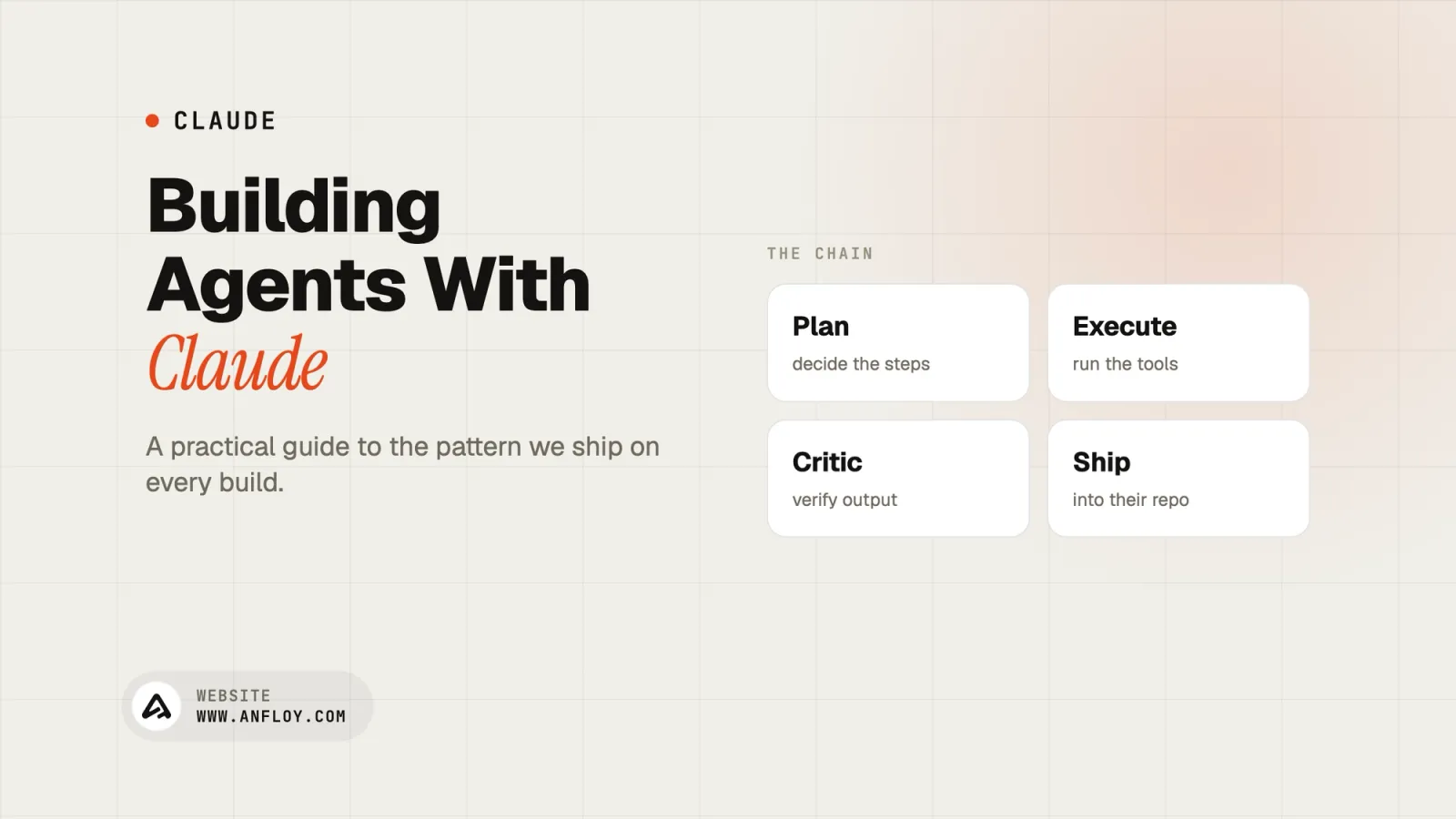
Building Agents with Claude: A Practical Guide
Learn how to build AI agents with Claude, how they work, best practices, common mistakes, and when to choose custom AI agents for your business.
On this page
- What is Claude?
- What is an AI agent?
- Why is AI moving from manual automation to autonomous agents?
- How do you build an AI agent with Claude?
- What is the full AI agent stack?
- Why is Claude a good choice for AI agents?
- What types of work can Claude AI agents automate?
- What triggers an AI agent to take action?
- Common mistakes when building Claude AI agents
- How do you keep AI agents safe and reliable?
- How does Anfloy build production-ready Claude agents?
- What is the future of Claude-powered AI agents?
- Conclusion
AI is moving beyond chatbots.
Businesses no longer want AI that simply answers questions. They want AI that can complete work, make decisions, and automate entire business processes.
This shift has led to the rise of AI agents.
Unlike traditional AI assistants, AI agents can retrieve company knowledge, interact with business systems, execute workflows, and collaborate with other agents to achieve specific goals.
One of the most capable models for building these systems is Claude.
Developed by Anthropic, Claude is known for its strong reasoning, long context window, coding capabilities, and ability to understand complex business information. These strengths make it an excellent foundation for customer support agents, internal knowledge assistants, coding agents, sales automation, and operational workflows.
However, choosing Claude is only the beginning.
A production-ready AI agent requires much more than a powerful language model. It needs access to company knowledge, memory, business tools, workflows, governance, and the ability to interact with real-world systems.
In this guide, you'll learn how to build AI agents with Claude, understand the architecture behind modern AI systems, explore common implementation patterns, and discover how businesses are deploying AI agents that create measurable business value.
What is Claude?
Claude is a family of large language models (LLMs) developed by Anthropic that are designed to understand, reason, and generate human-like language.
Unlike traditional software that follows predefined rules, Claude can interpret natural language, analyze complex information, write code, summarize documents, answer questions, and support decision-making across a wide variety of business use cases.
Businesses commonly use Claude for:
- customer support
- document analysis
- software development
- research
- internal knowledge management
- workflow automation
- Custom AI agent development
One of Claude's biggest strengths is its ability to work with large amounts of information at once. This makes it particularly useful for organizations with extensive documentation, long conversations, technical manuals, or complex operational processes.
For example, Claude can review:
- hundreds of pages of documentation
- lengthy contracts
- sales playbooks
- company policies
- support conversations
- technical specifications
before generating an informed response.
But it's important to understand one thing:
Claude is a reasoning engine, not a complete AI agent.
On its own, Claude cannot update your CRM, retrieve private company knowledge, monitor buying signals, or automate business workflows.
To perform these tasks, it needs to be connected to the rest of your AI infrastructure.
What is an AI agent?
An AI agent is an intelligent software system designed to achieve a goal rather than simply respond to prompts.
Instead of waiting for instructions one message at a time, an AI agent can:
- retrieve information
- reason through problems
- make decisions
- use external tools
- interact with APIs
- execute workflows
- coordinate multiple actions
Think of the difference this way.
A chatbot answers questions.
An AI assistant helps complete tasks.
An AI agent owns an outcome.
For example, imagine a new lead enters your CRM.
A traditional chatbot might answer questions about that lead.
A modern AI agent can:
- identify the company
- enrich account information
- monitor buying signals
- evaluate ICP fit
- qualify the opportunity
- perform AI CRM automation
- notify the appropriate sales representative
- prepare personalized outreach
without requiring someone to manually coordinate each step.
This ability to combine reasoning with execution is what separates AI agents from earlier generations of AI software.
Why is AI moving from manual automation to autonomous agents?
Business automation has evolved significantly over the past decade.
The first generation focused on reducing repetitive work through fixed rules and workflows.
Today, AI is making it possible for software to understand context, make decisions, and coordinate complex business processes with minimal human intervention.
The evolution looks something like this:
Manual Work → Rule-Based Automation → AI Assistants → AI Agents → Multi-Agent Systems
Each stage represents a major improvement in how businesses operate.
Manual work
Employees perform every task themselves.
Examples include:
- updating CRM records
- qualifying leads
- responding to customer questions
- retrieving internal documentation
While flexible, this approach is slow, expensive, and difficult to scale.
Rule-based automation
The next step introduced automation platforms that followed predefined rules.
For example:
- If a form is submitted, create a CRM contact.
- If an invoice is paid, send a confirmation email.
These systems reduced repetitive work but struggled whenever business situations became more complex.
They couldn't reason.
They simply followed instructions.
AI assistants
Large language models introduced conversational AI.
Instead of rigid workflows, employees could ask AI to:
- summarize documents
- draft emails
- answer questions
- generate code
- analyze information
Productivity improved dramatically.
But employees still had to manage the process.
The AI wasn't responsible for completing the work.
AI agents
AI agents represent the next evolution.
Rather than waiting for prompts, they pursue objectives.
An AI agent can:
- retrieve company knowledge
- analyze customer data
- monitor external events
- use software tools
- make decisions
- execute workflows
This shifts AI from being an assistant to becoming an active participant in business operations.
Multi-agent systems
As businesses automate more complex processes, one AI agent is often no longer enough.
Instead, organizations deploy multi-agent AI architecture, where specialized agents collaborate together.
For example:
- one agent monitors buying signals
- one qualifies leads
- one updates the CRM
- one generates outreach
- one manages reporting
Each agent focuses on a specific responsibility while sharing information through a common knowledge layer.
This creates a scalable, reliable system capable of automating entire business functions rather than isolated tasks.
For growing companies, this is where the greatest long-term value lies.
Instead of purchasing disconnected AI tools, they're building intelligent AI infrastructure where specialized agents work together to support sales, operations, customer support, finance, HR, and other departments.
How do you build an AI agent with Claude?
Building a production-ready AI agent involves much more than connecting a language model to a chatbot interface.
The most successful AI agents combine reasoning, business knowledge, workflow automation, and software integrations into one connected system.
A practical implementation usually follows these steps.
Step 1: Define the business objective
Every successful AI agent begins with a clearly defined outcome.
Rather than asking,
"How can we use Claude?"
ask,
"What business problem should this agent solve?"
Examples include:
- qualifying inbound leads
- answering customer support questions
- retrieving company documentation
- automating employee onboarding
- monitoring buying signals
- updating CRM records
A focused objective produces a more reliable AI agent.
Step 2: Connect company knowledge
Claude performs significantly better when it has access to your organization's knowledge.
This may include:
- product documentation
- pricing
- SOPs
- customer success stories
- sales playbooks
- internal policies
- CRM history
Instead of relying only on general knowledge, the agent retrieves information directly from your business.
This creates responses that are accurate, relevant, and aligned with your organization.
Step 3: Add retrieval-augmented generation (RAG)
RAG is one of the core technologies behind modern Company Intelligence platforms.
Rather than memorizing documentation, the AI retrieves the latest information in real time.
Benefits include:
- more accurate answers
- reduced hallucinations
- current business information
- company-specific responses
- better compliance
For most business AI agents, RAG is no longer optional.
It is a core architectural component.
Step 4: Give the agent memory
Business workflows rarely happen in a single interaction.
An AI agent should remember relevant context across conversations and tasks.
Memory enables the agent to:
- remember previous interactions
- maintain customer context
- personalize responses
- track workflow progress
- improve long-running processes
Without memory, every interaction starts from scratch.
Step 5: Connect business tools
An AI agent becomes valuable when it can interact with the systems your business already uses.
Common integrations include:
- CRM platforms
- Slack or Microsoft Teams
- Google Workspace
- Notion
- project management software
- internal databases
- email platforms
- calendars
- APIs
This transforms Claude from a conversational model into an operational system capable of completing work.
Step 6: Automate end-to-end workflows
Instead of automating individual tasks, modern AI agents automate complete business workflows using custom AI automation for B2B SaaS.
For example, an outbound sales agent could:
- Detect a funding announcement.
- Research the company.
- Enrich CRM records.
- Identify decision-makers.
- Qualify the opportunity.
- Generate generate AI-personalized cold outreach.
- Notify the sales representative.
This is where AI begins creating measurable operational value instead of simply generating text.
What is the full AI agent stack?
Many people assume an AI agent is simply a language model connected to a chatbot interface.
In reality, production-ready AI agents are built on multiple layers that work together.
Claude provides the intelligence, but the surrounding infrastructure enables the agent to retrieve knowledge, use business tools, make decisions, and execute workflows reliably.
Understanding this architecture helps businesses move beyond simple AI experiments and build systems that create long-term value.
A modern AI agent stack typically includes the following components.
1. Foundation model
The foundation model is the reasoning engine behind the AI agent.
This is where Claude plays its role.
The model is responsible for:
- understanding natural language
- reasoning through problems
- generating responses
- analyzing documents
- interpreting instructions
- planning tasks
While the foundation model provides intelligence, it doesn't know your business unless you connect it to your own data.
2. Company AI brain
Every production AI agent needs access to company-specific knowledge.
This centralized knowledge layer, often called a Company AI Brain, stores the information that makes AI useful inside your organization.
It can include:
- SOPs
- product documentation
- pricing
- customer records
- internal policies
- onboarding guides
- technical documentation
- sales playbooks
- knowledge base articles
Instead of producing generic responses, Claude retrieves trusted company information before generating an answer.
3. Retrieval-augmented generation (RAG)
RAG connects Claude to your business knowledge.
Rather than relying only on what the model learned during training, RAG retrieves relevant documents in real time before generating a response.
This improves:
- factual accuracy
- business relevance
- document retrieval
- answer quality
- compliance
For enterprise AI agents, RAG is one of the most important architectural components because it significantly reduces hallucinations while ensuring responses reflect your latest business information.
4. Memory layer
Business interactions rarely happen in isolation.
An effective AI agent remembers previous conversations, customer history, workflow progress, and operational context.
Memory enables Claude to:
- personalize conversations
- continue long-running tasks
- understand customer history
- maintain workflow state
- improve decision-making
Without memory, every conversation starts from scratch.
5. Tool calling and business integrations
AI becomes significantly more valuable when it can interact with external systems.
Instead of simply answering questions, Claude can use tools to perform work.
Common integrations include:
- CRM platforms
- ERP systems
- Slack
- Microsoft Teams
- Google Workspace
- Notion
- Jira
- GitHub
- email platforms
- internal APIs
- databases
This allows the AI agent to retrieve information, update records, trigger workflows, and coordinate business processes.
6. Workflow orchestration
Individual tasks rarely create meaningful business value.
Workflow orchestration allows AI agents to connect multiple actions into complete business processes.
For example, an outbound sales workflow could automatically:
- detect a buying signal
- enrich company information
- qualify the opportunity
- update the CRM
- generate outreach
- assign the lead
- notify the sales team
Instead of automating isolated tasks, the AI owns the entire workflow.
7. Monitoring and observability
Production AI systems need continuous monitoring.
Businesses should understand:
- how agents perform
- where failures occur
- response accuracy
- workflow completion
- system usage
- operational costs
Monitoring helps organizations improve AI performance over time while maintaining reliability.
8. Human oversight
The most successful AI systems combine automation with human expertise.
Not every decision should be fully autonomous.
Critical workflows often include approval checkpoints before AI can:
- send customer communications
- approve financial transactions
- modify sensitive records
- execute high-risk actions
Human oversight improves trust while reducing operational risk.
Why is Claude a good choice for AI agents?
Choosing the right language model is an important part of building an AI agent.
Claude has become one of the leading choices because it performs well across reasoning, document understanding, and enterprise knowledge workflows.
While every business has different requirements, Claude offers several advantages for production AI systems.
Strong reasoning capabilities
Many business workflows require more than simple question answering.
Claude performs well when tasks involve:
- multi-step reasoning
- planning
- analysis
- summarization
- business decision support
This makes it particularly effective for operational AI agents.
Long context window
Businesses generate large amounts of information.
Claude can process lengthy documents and conversations, making it well suited for:
- policy manuals
- contracts
- onboarding documentation
- technical specifications
- customer conversations
- sales playbooks
Rather than analyzing information one page at a time, the model can understand broader business context.
Excellent knowledge retrieval
Claude performs particularly well when paired with Retrieval-Augmented Generation (RAG).
Instead of relying only on general knowledge, it retrieves relevant company information before generating responses.
This creates:
- more accurate answers
- better customer experiences
- improved compliance
- stronger business alignment
Natural communication
Whether supporting customers or employees, AI should communicate clearly.
Claude produces responses that are:
- structured
- conversational
- context-aware
- easy to understand
This makes interactions feel more natural across customer support, internal operations, and knowledge management.
Flexible business applications
Claude can support many business functions, including:
- customer support
- sales enablement
- internal knowledge management
- software development
- operations
- document analysis
- workflow automation
Its flexibility allows organizations to build multiple AI agents using the same underlying model.
Ready to Discover Where AI Agents Can Create the Biggest Impact?
Many businesses know they should invest in AI but aren't sure where to begin.
Our Free AI Infrastructure Audit helps you identify:
high-impact automation opportunities
repetitive workflows suitable for AI agents
operational bottlenecks
opportunities to improve customer experience
the best roadmap for implementing AI across your business
Instead of experimenting with disconnected AI tools, receive a practical strategy tailored to your organization.
Get Your Free AI Audit
What types of work can Claude AI agents automate?
One of the biggest misconceptions about AI agents is that they only answer questions.
In reality, Claude-powered AI agents can automate work across nearly every business function when connected to the right systems.
The key is matching the agent to the type of work being performed.
Knowledge work
Knowledge work involves retrieving, organizing, analyzing, and applying business information.
Claude is particularly effective because it can understand complex documentation and long-form content.
Common use cases include:
Customer support
Retrieve product documentation, answer customer questions, and assist support teams with accurate, context-aware responses.
Sales enablement
Help sales teams access pricing, case studies, competitive positioning, product information, and sales playbooks in seconds.
Employee onboarding
Guide new employees through company policies, training materials, documentation, and internal procedures.
Research and analysis
Analyze reports, summarize large documents, compare information, and provide recommendations based on business knowledge.
Internal operations
Support HR, finance, legal, and operations teams by retrieving company knowledge and answering internal questions.
Engineering work
Claude also performs well across technical and engineering workflows.
While human engineers remain responsible for architecture and critical decisions, AI agents can significantly reduce repetitive work.
Examples include:
Code generation
Generate boilerplate code, APIs, documentation, and implementation examples.
Code Review
Identify potential issues, suggest improvements, and explain complex code.
Debugging assistance
Analyze error messages, investigate problems, and recommend possible solutions.
Technical documentation
Generate API documentation, onboarding guides, and developer resources.
Development workflows
Assist with testing, deployment preparation, issue tracking, and engineering documentation.
Rather than replacing engineers, Claude helps them spend more time solving complex technical problems.
What triggers an AI agent to take action?
Unlike traditional chatbots that only respond when someone asks a question, modern AI agents can work proactively.
Different triggers determine when an AI agent should begin executing a workflow.
Understanding these trigger types is essential when designing production AI systems.
User triggers
The most common trigger occurs when a person interacts with the AI.
Examples include:
- asking a question
- requesting a report
- searching company knowledge
- creating a support ticket
- requesting customer information
The AI responds immediately based on the user's request.
Event Triggers
An AI agent can also respond automatically when something changes inside your business systems.
Examples include:
- a new lead enters the CRM
- a customer submits a support request
- a funding announcement is detected
- a contract is signed
- inventory reaches a threshold
- a payment fails
These events allow AI to begin working without waiting for human input.
Scheduled triggers
Some workflows happen at regular intervals.
AI agents can execute recurring tasks such as:
- daily pipeline reviews
- weekly performance reports
- monthly forecasting
- CRM data cleanup
- documentation synchronization
- customer health checks
Scheduled triggers ensure important operational work happens consistently without manual intervention.
By combining user, event, and scheduled triggers, businesses can build AI agents that operate continuously rather than only responding to prompts.
Common mistakes when building Claude AI agents
Building an AI agent with Claude is easier than ever.
Building one that consistently delivers business value is much more difficult.
Many organizations focus heavily on selecting the right language model while overlooking the systems, data, and workflows that actually determine an agent's success.
Avoiding the following mistakes can significantly improve the performance and reliability of your AI implementation.
Treating Claude as the entire solution
One of the biggest misconceptions is that Claude alone is the AI agent.
In reality, Claude is the reasoning engine.
A production-ready AI agent also needs:
- business knowledge
- memory
- workflow orchestration
- software integrations
- monitoring
- governance
Without these components, even the most advanced language model has limited business value.
Building around technology instead of business problems
Many AI projects begin with the question:
"What can Claude do?"
A better question is:
"What business outcome are we trying to improve?"
Successful AI agents are designed around measurable business objectives such as:
- reducing support response times
- improving lead qualification
- automating onboarding
- accelerating sales operations
- simplifying internal knowledge access
Business goals should always drive technical decisions.
Ignoring company knowledge
Claude has impressive general knowledge, but it doesn't know your business.
Without access to your:
- SOPs
- pricing documentation
- CRM records
- product information
- customer history
- internal policies
the agent will generate generic responses that may not reflect how your organization actually operates.
Connecting Claude to a centralized knowledge layer dramatically improves accuracy and consistency.
Building one general-purpose agent
Many businesses try to create a single AI agent that handles every task.
As complexity grows, performance often declines.
A better approach is to create specialized agents.
For example:
- one agent qualifies leads
- one manages customer support
- one retrieves internal documentation
- one automates onboarding
- one monitors buying signals
Specialized agents are easier to manage, evaluate, and improve over time.
Forgetting human oversight
AI agents should automate work, not eliminate accountability.
Critical workflows should still include human review when appropriate.
Examples include:
- approving contracts
- sending high-value customer communications
- financial decisions
- security-sensitive operations
Combining AI automation with human expertise creates more reliable systems.
Measuring activity instead of business impact
Sending thousands of AI-generated emails or answering hundreds of support tickets doesn't automatically create business value.
Instead, measure outcomes such as:
- qualified pipeline generated
- customer satisfaction
- support resolution time
- revenue influenced
- operational hours saved
- workflow completion rates
These metrics demonstrate whether AI is improving the business.
How do you keep AI agents safe and reliable?
As AI agents become more autonomous, governance becomes just as important as intelligence.
Businesses need systems that allow AI to operate efficiently while maintaining security, compliance, and trust.
A well-designed governance framework helps AI agents make better decisions without introducing unnecessary risk.
Define clear permissions
Not every AI agent should have access to every system.
Permissions should be based on responsibilities.
For example:
- Sales agents access CRM data.
- Support agents access customer documentation.
- HR agents access employee resources.
Limiting access reduces security risks and protects sensitive information.
Add human approval for critical actions
Some decisions should always require human confirmation.
Approval workflows can be added before an AI agent:
- sends contracts
- modifies financial information
- deletes records
- changes operational settings
- communicates with high-value customers
This creates a balance between automation and control.
Build audit trails
Every important AI action should be traceable.
Businesses should know:
- what the agent did
- when it acted
- why it made the decision
- which information it used
Audit logs improve transparency while making troubleshooting much easier.
Continuously evaluate performance
AI agents should improve over time.
Regular evaluation helps identify:
- inaccurate responses
- failed workflows
- missing knowledge
- integration issues
- changing business requirements
Treat AI as an evolving business system rather than a one-time implementation.
Secure company knowledge
Your knowledge layer is one of your organization's most valuable assets.
Protect it through:
- role-based access
- encrypted storage
- authentication
- secure APIs
- compliance policies
A secure knowledge foundation enables AI to retrieve information safely while protecting sensitive business data.
How does Anfloy build production-ready Claude agents?
At Anfloy, we don't build chatbot demos.
We build production-ready AI systems that become part of your business operations.
Rather than focusing only on Claude, we design the complete AI infrastructure required for reliable, scalable automation.
Every implementation begins by understanding:
- your business goals
- operational workflows
- customer journey
- existing technology stack
- internal knowledge
- automation opportunities
From there, we build AI systems that integrate seamlessly into the way your business already works.
Agentic systems
We build multi-agent systems where specialized AI agents collaborate to execute complete workflows.
Instead of relying on one general-purpose assistant, individual agents handle responsibilities such as:
- AI-powered lead qualification
- customer support
- CRM automation
- workflow execution
- knowledge retrieval
- internal operations
This architecture improves reliability, scalability, and long-term maintainability.
Company AI brain
Every Claude-powered agent connects to a centralized Company AI Brain built using:
- Retrieval-Augmented Generation (RAG)
- embeddings
- hybrid search
- reranking
- persistent memory
This gives every agent access to trusted company knowledge before making decisions or generating responses.
Instead of generic AI, you get AI that understands your business.
GTM engines
For sales and revenue teams, we build AI-powered GTM Engines that automate the entire outbound process.
These systems continuously:
- monitor buying signals
- enrich prospect data
- qualify leads
- personalize outreach
- update CRM records
- support pipeline management
Rather than automating one task, they automate the complete go-to-market workflow.
Internal operations systems
AI should improve every department, not just sales.
We build systems that automate:
- employee onboarding
- documentation retrieval
- approvals
- reporting
- knowledge management
- operational workflows
This reduces repetitive work while improving consistency across the organization.
Full-stack AI products
Some organizations require more than internal automation.
We also develop custom AI-powered platforms, internal SaaS applications, and customer-facing products that are designed specifically for your business model and deployed directly on your cloud infrastructure.
Infrastructure you own
Ownership is a core part of our approach.
Every AI system we build is deployed on infrastructure that belongs to your business.
You own:
- the code
- the AI workflows
- the knowledge architecture
- the integrations
- the operational logic
No platform lock-in.
No recurring software dependency.
The result is AI infrastructure that evolves alongside your business and remains fully under your control.
Ready to Build Production-Ready AI Agents?
Whether you're building customer support agents, internal knowledge systems, GTM automation, or a custom AI product, the right architecture makes all the difference.
At Anfloy, we build:
Agentic Systems
Company AI Brains
GTM Engines
Internal Operations Systems
Full-Stack AI Products
Every solution is custom-built around your workflows, integrates with your existing systems, and is deployed on infrastructure that you fully own.
If you're ready to move beyond AI prototypes and build production-ready AI systems that create measurable business value, we'd love to help.
Book a Strategy Call
What is the future of Claude-powered AI agents?
AI agents are evolving far beyond chat interfaces.
Over the next few years, businesses won't simply use AI to answer questions or generate content. They'll use AI agents to coordinate workflows, execute decisions, and manage business operations across multiple departments.
The biggest shift is that AI agents are becoming part of a company's operational infrastructure rather than standalone software.
For organizations building with Claude, this means moving from isolated assistants to intelligent systems that continuously support revenue growth, customer experience, and internal operations.
Here's what the future looks like.
AI agents will become digital coworkers
Today's AI assistants respond when someone asks a question.
Tomorrow's AI agents will work alongside employees throughout the day.
Instead of waiting for prompts, they'll proactively:
- monitor business events
- retrieve relevant information
- recommend next actions
- complete repetitive work
- collaborate with employees
Rather than replacing people, AI will remove the operational tasks that slow them down.
Multi-agent systems will replace single AI assistants
One AI assistant cannot efficiently manage every business function.
Future organizations will deploy specialized AI agents that collaborate with one another.
For example:
- a sales agent identifies buying signals
- a CRM agent enriches customer records
- a knowledge agent retrieves company documentation
- a customer support agent resolves common issues
- an operations agent automates internal workflows
Each agent focuses on one responsibility while sharing information through a centralized knowledge layer.
This creates more reliable, scalable, and maintainable AI systems.
Company AI brains will become the foundation
As businesses deploy more AI agents, they need a single source of trusted knowledge.
Rather than every department maintaining separate documentation, organizations will increasingly build centralized Company AI Brains.
These knowledge systems will contain:
- product documentation
- SOPs
- customer history
- pricing
- operational procedures
- technical documentation
- sales playbooks
- internal policies
Every AI agent will retrieve information from this shared intelligence layer before making decisions or executing workflows.
This ensures consistency across the business.
AI will execute complete workflows
The future of AI isn't about generating better answers.
It's about completing business outcomes.
Instead of asking AI to draft an email, businesses will deploy agents that:
- detect buying intent
- research accounts
- qualify opportunities
- update CRM records
- prepare personalized outreach
- notify the sales team
- monitor follow-up activities
The employee reviews the outcome instead of managing every step.
This dramatically increases operational efficiency.
AI infrastructure will become a competitive advantage
Today, many businesses compete using the same AI tools.
In the future, competitive advantage will come from owning custom AI infrastructure.
Organizations that invest in connected AI systems will benefit from:
- faster execution
- better decision-making
- more accurate business knowledge
- scalable automation
- lower operational costs
Rather than depending on disconnected software subscriptions, they'll operate using AI systems built around their own processes and data.
Conclusion
Building AI agents with Claude is about much more than choosing a powerful language model.
Claude provides exceptional reasoning, long-context understanding, and natural language capabilities, but those strengths only reach their full potential when combined with the right architecture.
Production-ready AI agents require:
- Company AI Brains
- Retrieval-Augmented Generation (RAG)
- memory
- business integrations
- workflow orchestration
- governance
- monitoring
Together, these components transform Claude from an intelligent language model into an AI system capable of supporting real business operations.
At Anfloy, we help businesses move beyond AI experiments by building custom AI infrastructure tailored to their workflows, teams, and long-term growth objectives.
Our solutions combine:
- Agentic Systems
- Company AI Brains
- GTM Engines
- Internal Operations Systems
- Full-Stack AI Products
Every implementation is deployed on infrastructure that you own, integrates with your existing technology stack, and is designed to scale as your business grows.
Because the future isn't about having access to better AI models.
It's about building AI systems that understand your business, automate meaningful work, and create lasting competitive advantage.
Frequently Asked Questions
Can Claude be used to build AI agents?
Yes. Claude provides the reasoning capabilities required for AI agents, but production-ready systems also need business knowledge, Retrieval-Augmented Generation (RAG), memory, integrations, and workflow automation.
Is Claude better than traditional chatbots?
Yes. Traditional chatbots typically follow predefined rules, while Claude-powered AI agents can reason, retrieve business knowledge, use external tools, and automate multi-step workflows.
What do you need to build an AI agent with Claude?
A complete AI agent usually requires: Claude as the foundation model a Company AI Brain Retrieval-Augmented Generation (RAG) memory API integrations workflow orchestration monitoring governance Together, these components enable the agent to complete real business tasks.
Can Claude connect to business software?
Yes. Claude-powered AI agents can integrate with CRM platforms, databases, communication tools, project management software, internal APIs, and many other business systems.
What types of businesses benefit from Claude-powered AI agents?
Growth-stage SaaS companies, agencies, consulting firms, recruiting firms, professional services, and organizations with repetitive operational workflows often see the greatest value from AI agents.
Are AI agents built with Claude secure?
They can be, provided they include proper governance, role-based permissions, secure integrations, audit logging, and human approval workflows where appropriate.
Let's build
what your
company needs.
Drop your email. We'll send The Custom Agent Blueprint on what we'd build first for a company like yours, before you ever take a meeting.