
Outbound Tools for GTM Engineers: The Technical Stack, Not the Vendor List
A GTM engineer's actual outbound toolkit: enrichment, email sending infrastructure, LinkedIn automation, orchestration, and CRM sync, with real 2026 pricing and how the pieces fit together.
On this page
- Why a GTM engineer's toolkit looks different from a buyer's
- The data layer: Where accounts and contacts come from
- The email sending layer: Deliverability infrastructure
- The LinkedIn layer: Automation and multichannel coordination
- The orchestration layer: Stitching it together
- Deliverability fundamentals that matter more than tool choice
- The email sending layer: Deliverability infrastructure
- The linkedIn layer: Automation and multichannel coordination
- The orchestration layer: Stitching It together
- How the layers Actually connect?
- Common mistakes GTM engineers make building this stack
- A worked example
- How I build outbound infrastructure for GTM teams?
- Conclusion
Most "best outbound tools" lists are written for a buyer choosing one platform to run their entire outbound motion inside. That's a reasonable list for a founder who wants a single login and a single bill.
It's the wrong list for a GTM engineer, whose job is closer to assembling infrastructure: a data layer, a sending layer, a LinkedIn layer, and the orchestration glue that connects them, each piece chosen deliberately rather than accepting whatever bundle a single vendor happens to include.
This guide covers that stack from a builder's perspective: what each layer actually needs to do, the tools worth knowing in each category as of 2026 with real, sourced pricing, and how a GTM engineer typically wires them together into one coordinated system rather than several disconnected subscriptions.
Why a GTM engineer's toolkit looks different from a buyer's
A revenue leader evaluating outbound tools is usually optimizing for speed to a working motion and the fewest vendor relationships to manage.
A GTM engineer is optimizing for something closer to control: the ability to inspect, adjust, and combine each layer of the stack independently, rather than accepting whatever a single all-in-one platform decided the right combination should be.
This distinction matters because the strongest all-in-one platforms are frequently mediocre in any single category compared to a dedicated, best-of-breed tool in that category specifically.
An all-in-one sending platform's bundled lead database is rarely as strong as a dedicated enrichment tool's waterfall. A CRM's native sequencing is rarely as deliverability-focused as a purpose-built sending platform.
A GTM engineer's job is knowing where that tradeoff is worth making, bundled convenience versus dedicated depth, category by category, rather than defaulting to either extreme uniformly.
The data layer: Where accounts and contacts come from
This is the layer that determines who ends up in an outbound sequence in the first place, and I've covered it in real depth elsewhere, so I'll keep this section focused on how it connects to the rest of the stack rather than repeating that analysis here.
Clay remains the strongest choice for GTM engineers specifically, since it's a programmable orchestration layer rather than a fixed database, letting you build conditional, branching enrichment logic across many providers rather than accepting one vendor's coverage limits.
I've written about how to actually build outbound on Clay and how it compares to traditional single-vendor enrichment in more depth elsewhere.
Apollo remains the more accessible, bundled alternative, a large contact database with lighter enrichment and native sequencing included, at a meaningfully lower entry price than assembling a fully custom stack.
For a GTM engineer building a lean, early-stage motion, starting with Apollo and graduating specific pieces to dedicated tools as needs get more specific is a reasonable, common path.
The output of this layer, regardless of which specific tool produces it, needs to land somewhere the rest of the stack can actually read from: your CRM directly for simpler setups, or a warehouse with reverse ETL syncing it out for more complex, multi-destination stacks, the architecture covered in more depth in composable data architecture.
The email sending layer: Deliverability infrastructure
This is the layer most outbound tool comparisons get wrong by treating it as a feature checklist rather than what it actually is: infrastructure for protecting sender reputation at volume.
The two dominant platforms here, Instantly and Smartlead, are close enough in raw capability that the real decision comes down to operating philosophy rather than a clear capability gap between them.
Instantly leans toward a polished, opinionated all-in-one: a large shared warmup network, a bundled lead database numbering in the hundreds of millions of contacts, and a lighter CRM built in, aimed at teams that want fewer separate vendor relationships.
Public pricing runs roughly from the high $30s at entry up to several hundred dollars monthly at its highest published tier, scaling with active leads and monthly send volume.
Smartlead leans API-first and infrastructure-focused: stronger granular control over mailbox rotation and warmup at the individual account level, white-label options aimed specifically at agencies managing multiple client campaigns, and a philosophy of not bundling a lead database, assuming you're bringing your own data from a dedicated provider.
Public pricing runs in a broadly similar range to Instantly at comparable tiers, though placement testing, checking whether your emails actually land in the inbox versus spam, is priced as a separate add-on rather than bundled in.
The practical decision:
Choose Instantly if you want fewer vendor relationships and value a built-in lead database and a more polished interface.
Choose Smartlead if you're already sourcing data elsewhere, want deeper API control, or are managing sending infrastructure across multiple client accounts.
Several independent comparisons converge on the same underlying point worth taking seriously regardless of which platform you pick: the headline pricing gap between the two is frequently negligible.
A few dollars a month at comparable tiers, while the real, meaningful differences show up in deliverability outcomes, open and reply rates, that depend at least as much on domain setup, warming discipline, and list quality as on which specific platform is sending the mail.
Want a read on whether your current sending setup is actually the bottleneck, or if it's upstream in your data or list quality? Get a free AI infrastructure audit and I'll help you trace it.
The LinkedIn layer: Automation and multichannel coordination
LinkedIn automation carries real platform risk that email doesn't, since LinkedIn actively polices automated behavior, which makes the choice between cloud-based and browser-extension-based tools a genuine safety decision, not just a feature comparison.
HeyReach is built specifically for managing outreach across several LinkedIn sender accounts at once from a single dashboard, with per-account pricing that starts in the range of roughly $59 to $79 a month per connected sender and scales up toward agency tiers priced in the several-hundred-to-thousand-dollar range for managing a larger pool of accounts.
It's the stronger fit specifically for agencies or teams running outreach from five or more LinkedIn profiles simultaneously, where its per-account economics tend to beat a per-seat alternative at that scale.
Expandi is the more established, single-account-focused option, running roughly $99 to $149 a month per seat, with a dedicated IP per account and notably sophisticated conditional-sequence logic.
It tends to be the stronger fit for a GTM engineer running one to three LinkedIn accounts who wants deep control over exactly how a sequence branches based on a prospect's specific behavior, and several sources converge on Expandi's onboarding and template support making it the friendlier starting point for a team without a dedicated ops person already configuring similar tools.
Both platforms are cloud-based, running independently of a connected browser staying open, which is the safer architecture compared to older, browser-extension-based tools.
Neither is inherently safer than the other at the platform-risk level, both depend heavily on realistic sending volume, human-like timing, and account warming discipline regardless of which specific tool is executing the automation.
A meaningfully important point worth being direct about: neither Instantly nor Smartlead natively handles LinkedIn, and neither HeyReach nor Expandi handles email inside the same coordinated sequence by default.
A GTM engineer building genuine multi-channel sequencing, the kind covered in more depth in multi-channel sequencing, typically needs either a dedicated multichannel platform that natively combines both channels, or an orchestration layer stitching the separate email and LinkedIn tools together into one coordinated cadence rather than two disconnected schedules.
The orchestration layer: Stitching it together
This is the layer that turns several separate tools into one coordinated system rather than a collection of point solutions each running their own independent schedule.
n8n has become the favored choice among more technical GTM engineers specifically because it's self-hostable, giving genuine cost control at higher volume compared to a purely usage-metered alternative.
Because its node-based workflow builder handles the kind of conditional, multi-tool logic outbound orchestration actually requires, checking an enrichment result before deciding whether to enroll a record in Clay's waterfall further, coordinating the timing between an email touch and a LinkedIn touch so they land on the intended schedule rather than firing independently.
Make and Zapier remain the more accessible entry points for teams without dedicated engineering capacity, trading some of n8n's flexibility and self-hosted cost advantage for a considerably gentler learning curve and a larger library of pre-built, one-click integrations.
The choice here matters less than actually having this layer at all. Without it, each tool in the stack runs on its own independent schedule with no shared awareness of what the others are doing.
Which is precisely the failure mode that makes multi-channel outbound feel like an uncoordinated pile-on rather than a deliberate sequence, regardless of how good any individual tool's output looks in isolation.
Deliverability fundamentals that matter more than tool choice
Every well-sourced comparison of the sending platforms above converges on the same underlying point, worth stating directly rather than burying in a caveat: the platform you choose matters less to your actual outcomes than whether the fundamentals underneath it are handled correctly.
Authentication records, SPF, DKIM, and DMARC, need to be configured correctly on every sending domain, regardless of which platform is sending through it. A misconfigured or missing record undermines deliverability more than any platform-level feature difference between the tools covered above.
Domain and mailbox warming needs real, gradual ramp discipline, not a rushed setup that starts sending at full volume on day one. Both major sending platforms offer warmup features, but the underlying principle, earning sender reputation gradually rather than assuming a new domain can immediately send at scale, matters regardless of which tool's warmup network you're using.
List quality determines deliverability as much as sending infrastructure does. A well-configured sending setup pointed at a poorly qualified, low-fit list still produces weak engagement and, over time, damages sender reputation through low open and reply rates, which is exactly why the data layer covered earlier in this guide isn't a separate concern from deliverability, it's a direct input to it.
Separate domains for cold outbound from your primary company domain. Sending high-volume cold outreach from the same domain your team uses for genuine business email risks the entire domain's reputation, including the inbox placement of email that actually matters, if the cold sending damages it.
The email sending layer: Deliverability infrastructure
This is the layer most outbound tool comparisons get wrong by treating it as a feature checklist rather than what it actually is: infrastructure for protecting sender reputation at volume.
The two dominant platforms here, Instantly and Smartlead, are close enough in raw capability that the real decision comes down to operating philosophy rather than a clear capability gap between them.
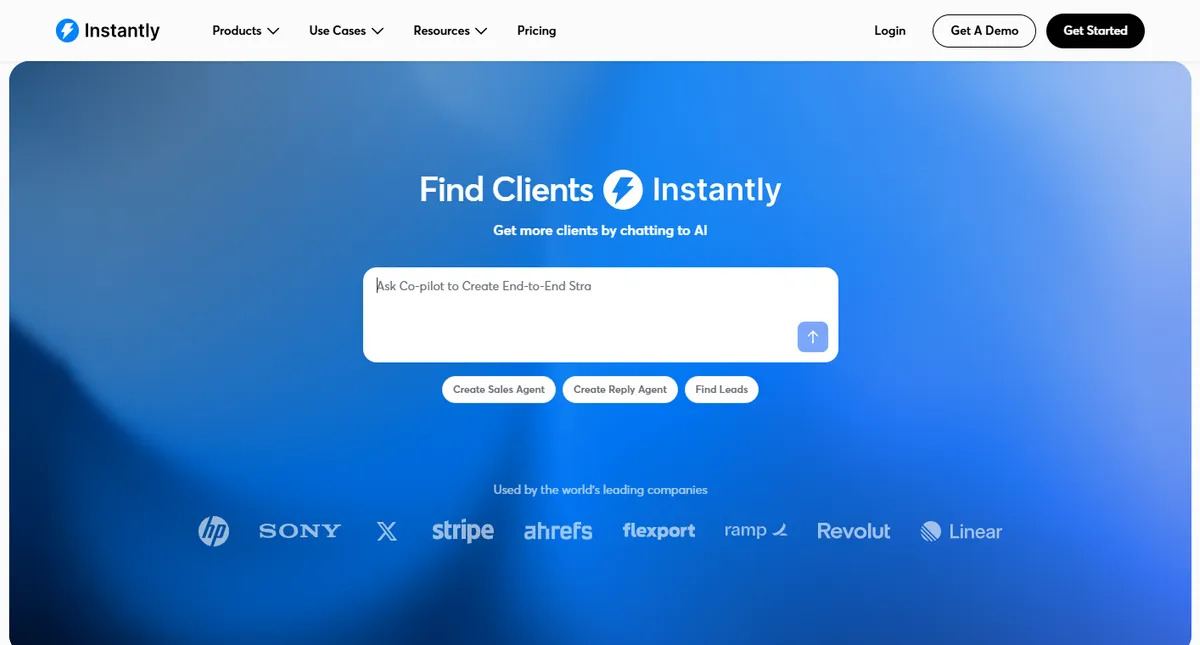
1. Instantly
Overview:
A polished, opinionated all-in-one sending platform built around a large shared warmup network, a bundled lead database numbering in the hundreds of millions of contacts, and a lighter CRM included natively.
Positioned for teams that want fewer separate vendor relationships and a faster path to a working sending setup.
Features:
- Large shared warmup network across a broad pool of connected mailboxes
- Bundled lead database numbering in the hundreds of millions of contacts
- A built-in, lighter CRM for managing replies and pipeline
- Unlimited connected email accounts on its flat-fee pricing structure
- Built-in placement testing included rather than sold as a separate add-on
| Pros | Cons |
|---|---|
| Fewer vendor relationships, genuinely one bill and one login | Shared warmup network has been reported to produce open-rate drops compared to more isolated alternatives |
| Built-in lead database removes a separate data-provider decision | Less granular, account-level control over rotation and warmup than an API-first alternative |
| Fast to set up with a simpler, more opinionated interface | Optional done-for-you mailbox infrastructure has been reported to underperform properly self-configured accounts |
| Plan | Price | Notes |
|---|---|---|
| Growth | Roughly $37/month | Entry tier; around 5,000 active leads and 10,000 emails/month |
| Hypergrowth | Roughly $97/month | Around 25,000 active leads and 100,000 emails/month |
| Higher tiers | Up to several hundred dollars/month | Scales with active leads and monthly send volume; confirm current tiers directly |
2. Smartlead

Overview:
An API-first, infrastructure-focused sending platform built for teams that want granular, account-level control over mailbox rotation and warmup, and for agencies managing sending across multiple distinct client campaigns under one workspace.
Features:
- Account-level mailbox rotation, not just campaign-level, distributing sends more intelligently across connected inboxes
- Strong, well-documented API and native integrations with Clay, HubSpot, Salesforce, and webhooks
- White-label options and multi-client sub-account structure built for agency use
- Detailed per-mailbox deliverability diagnostics, surfacing a degrading account before it drags a campaign down
- Its own warmup network with granular control over warmup volume and reply rates
| Pros | Cons |
|---|---|
| Deeper API control, a strong fit for teams building custom GTM automation | No bundled lead database; you bring your own data from a dedicated provider |
| Best-in-class mailbox rotation for high-volume, multi-account sending | Placement testing is priced as a separate add-on rather than bundled in |
| Strong multi-client workspace structure for agencies | Slightly steeper learning curve than a more opinionated, simpler interface |
| Plan | Price | Notes |
|---|---|---|
| Entry tier | Roughly $39/month | Public pricing; confirm current limits directly |
| Pro tier | Roughly $94/month | Mid-tier, comparable in price to Instantly's equivalent tier |
| Higher tiers | Up to roughly $379/month | White-labeling available at roughly $29/client, one free on the Pro plan |
| Placement testing | Roughly $49-$599 extra | Sold as a separate add-on rather than bundled into the base price |
The practical decision: choose Instantly if you want fewer vendor relationships and value a built-in lead database and a more polished interface.
Choose Smartlead if you're already sourcing data elsewhere, want deeper API control, or are managing sending infrastructure across multiple client accounts. Several independent comparisons converge on the same underlying point worth taking seriously regardless of which platform you pick.
The headline pricing gap between the two is frequently negligible, a few dollars a month at comparable tiers, while the real, meaningful differences show up in deliverability outcomes, open and reply rates, that depend at least as much on domain setup, warming discipline, and list quality as on which specific platform is sending the mail.
Want a read on whether your current sending setup is actually the bottleneck, or if it's upstream in your data or list quality? Get a free AI infrastructure audit and I'll help you trace it.
The linkedIn layer: Automation and multichannel coordination
LinkedIn automation carries real platform risk that email doesn't, since LinkedIn actively polices automated behavior, which makes the choice between cloud-based and browser-extension-based tools a genuine safety decision, not just a feature comparison.
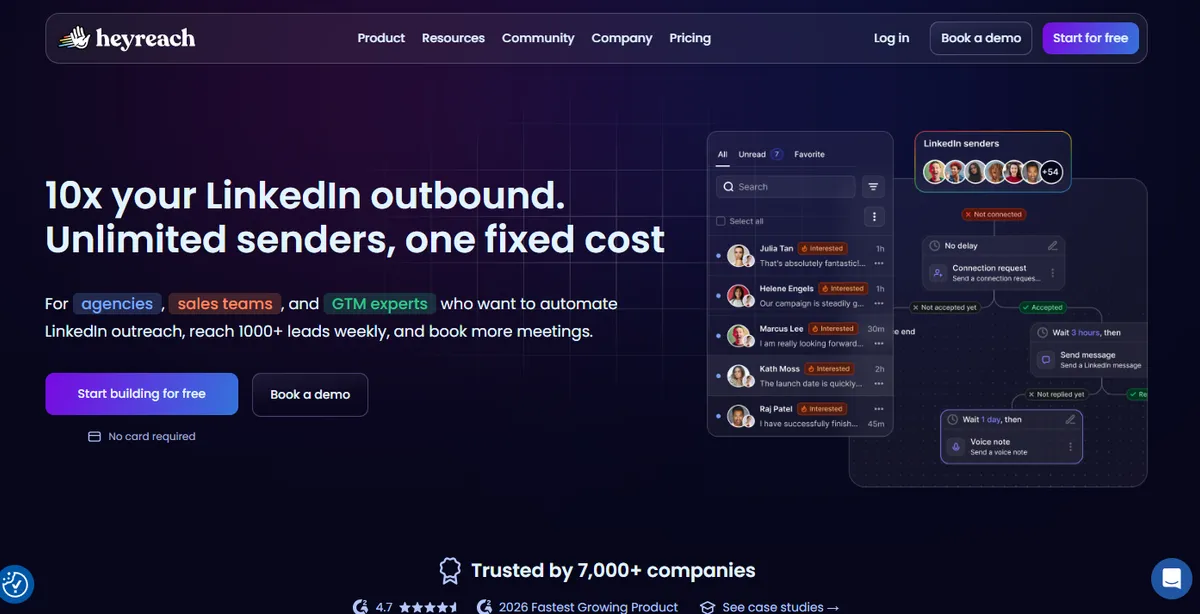
3. HeyReach
Overview:
A cloud-based, multi-account LinkedIn automation platform built specifically for agencies and larger sales teams managing outreach across several LinkedIn sender profiles at once from a single, unified dashboard.
Features:
- Multi-account rotation, connecting and coordinating outreach across ten or more LinkedIn profiles from one workspace
- Unlimited campaigns and the full range of LinkedIn actions on its entry tier
- A unified inbox consolidating replies across every connected sender account
- Client sub-workspaces and white-label reporting on its agency tier
- Native integrations built for connecting into a broader GTM stack
| Pros | Cons |
|---|---|
| Strong per-account economics at scale, five or more connected senders | Primarily LinkedIn-only; running LinkedIn and email in one native sequence requires a separate tool |
| Cloud-based, runs independently of a connected browser staying open | Costs compound quickly as more LinkedIn accounts are added |
| Unified inbox and multi-account rotation genuinely built for agency workflows | Thinner native personalization and conditional-sequence logic than a more specialized single-account tool |
| Plan | Price | Notes |
|---|---|---|
| Growth | Roughly $59-$79/month per sender | Entry tier; annual billing typically discounted versus monthly |
| Agency | Roughly $749-$999/month | Covers a larger pool of connected sender accounts |
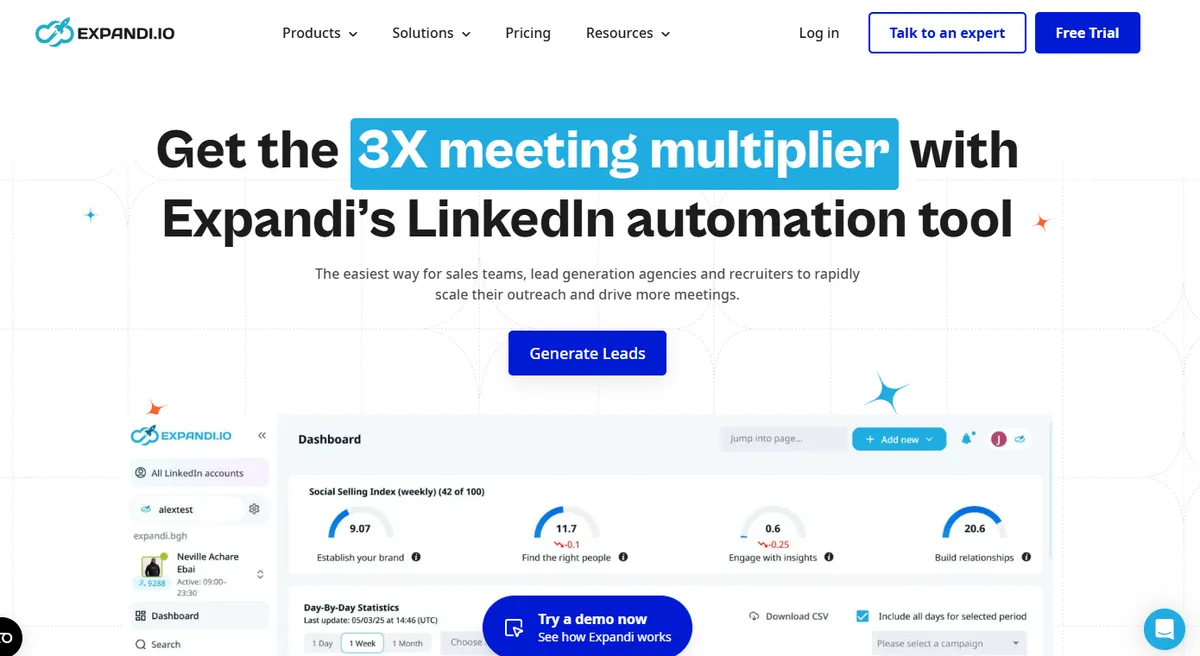
4. Expandi
Overview:
A cloud-based, single-account-focused LinkedIn automation platform known for sophisticated conditional-sequence logic and a dedicated IP per connected account, positioned as the safer, more controlled choice for a smaller number of LinkedIn senders.
Features:
- Dedicated IP address per connected LinkedIn account
- Deep conditional-sequence logic, branching a sequence based on a prospect's specific behavior
- Native multi-channel sequences combining LinkedIn actions with email outreach
- Human-like timing and randomized, gradual ramp-up patterns built into the sending behavior
- Template libraries and onboarding support aimed at teams without a dedicated ops person
| Pros | Cons |
|---|---|
| Strongest conditional-sequence sophistication in this category | More expensive per account than HeyReach once you're managing five or more senders |
| Dedicated IP per account, a genuine safety advantage for account health | Built around a single-seat model, less naturally suited to large multi-account agency workflows |
| Friendlier onboarding and support for teams new to LinkedIn automation | Fewer large-scale multi-client management features than HeyReach's agency tier |
| Plan | Price | Notes |
|---|---|---|
| Standard | Roughly $99/month per seat | Entry tier for a single connected LinkedIn account |
| Higher tiers | Roughly $149/month per seat | Adds more personalization variables and priority support |
Both platforms are cloud-based, running independently of a connected browser staying open, which is the safer architecture compared to older, browser-extension-based tools.
Neither is inherently safer than the other at the platform-risk level, both depend heavily on realistic sending volume, human-like timing, and account warming discipline regardless of which specific tool is executing the automation.
5. n8n

Overview:
A self-hostable, node-based workflow orchestration tool that has become the favored choice among more technical GTM engineers specifically for stitching the data, sending, and LinkedIn layers above into one coordinated system rather than several disconnected schedules.
Features:
- Self-hostable deployment, giving genuine cost control at high volume compared to a purely usage-metered platform
- A node-based, visual workflow builder that still supports genuinely complex, conditional branching logic
- Native and community-built integrations with Clay, CRMs, sending platforms, and LinkedIn automation tools
- Webhook and API support for connecting tools that don't have a native, pre-built integration
- Open-source core, giving full visibility into exactly how a workflow executes
| Pros | Cons |
|---|---|
| Self-hosted option gives real cost control at scale versus per-task pricing | Steeper learning curve than a more guided, point-and-click alternative |
| Handles genuinely complex, multi-tool conditional logic well | Self-hosting requires someone comfortable maintaining the underlying infrastructure |
| Open-source core means no vendor lock-in on the orchestration layer itself | Smaller pre-built integration library than a larger commercial competitor |
| Plan | Price | Notes |
|---|---|---|
| Self-hosted | Free (infrastructure cost only) | Requires hosting it yourself; cost is your own server, not a subscription |
| Cloud, starter tiers | Roughly $20-$50/month | Hosted version with lower setup effort, scaling by execution volume |
| Cloud, higher tiers | Scales with usage | Priced by workflow executions at higher volume |
A meaningfully important point worth being direct about: neither Instantly nor Smartlead natively handles LinkedIn, and neither HeyReach nor Expandi handles email inside the same coordinated sequence by default.
A GTM engineer building genuine multi-channel sequencing, the kind covered in more depth in multi-channel sequencing, typically needs either a dedicated multichannel platform that natively combines both channels, or an orchestration layer stitching the separate email and LinkedIn tools together into one coordinated cadence rather than two disconnected schedules.
The orchestration layer: Stitching It together
This is the layer that turns several separate tools into one coordinated system rather than a collection of point solutions each running their own independent schedule.
I covered n8n's specific features, pros and cons, and pricing above as tool 5; the note here is about the layer's role and its main alternative.
Make and Zapier remain the more accessible entry points for teams without dedicated engineering capacity, trading some of n8n's flexibility and self-hosted cost advantage for a considerably gentler learning curve and a larger library of pre-built, one-click integrations.
For a GTM engineer without the capacity to maintain a self-hosted deployment, either is a reasonable starting point, with Zapier generally the simpler of the two and Make offering somewhat deeper conditional logic in exchange for a slightly steeper learning curve.
The choice here matters less than actually having this layer at all. Without it, each tool in the stack runs on its own independent schedule with no shared awareness of what the others are doing, which is precisely the failure mode that makes multi-channel outbound feel like an uncoordinated pile-on rather than a deliberate sequence, regardless of how good any individual tool's output looks in isolation.
How the layers Actually connect?
A representative architecture for a mid-sized B2B outbound motion: Clay handles enrichment and signal-based list building, running a waterfall that qualifies and enriches records before anything else touches them. Once a record clears qualification, n8n orchestrates the handoff, pushing qualified, enriched records into Smartlead for the email leg of a sequence and into HeyReach for a coordinated LinkedIn touch, timed against each other rather than firing independently. Replies and engagement data flow back through the same orchestration layer into the CRM, where a routing and scoring system, the kind covered in how to build a lead routing system, determines what happens next.
No single vendor in this stack is responsible for the whole motion, and that's the deliberate point. Each tool does the one job it's genuinely strongest at, and the orchestration layer is what makes the combination behave as one coordinated system rather than four separate subscriptions each doing their own thing on their own schedule.
This layered approach also has a practical benefit worth naming directly: it makes the stack considerably easier to debug and improve incrementally. If reply rates drop, a GTM engineer with a layered architecture can isolate which specific layer changed, was it a data quality shift, a deliverability issue on a specific sending domain, a LinkedIn account that got rate-limited, rather than facing an all-in-one platform's single, opaque reply-rate number with no visibility into which underlying component actually degraded. This diagnosability is arguably the strongest practical argument for building a layered stack at all, beyond any individual layer's specific capability advantage over a bundled alternative.
Common mistakes GTM engineers make building this stack
Choosing an all-in-one platform and then fighting its limits instead of swapping the weak layer out.
A bundled platform's built-in lead database or sequencing feature is sometimes genuinely weaker than a dedicated alternative in that specific category, and recognizing when to swap one layer for a best-of-breed tool, rather than working around a mediocre bundled feature indefinitely, is a real, recurring decision worth revisiting rather than assuming once.
Treating email and LinkedIn as separate campaigns instead of one coordinated sequence.
Running each channel through its own tool on its own independent schedule, with no orchestration layer connecting them, produces exactly the disjointed, pile-on experience covered in more depth in multi-channel sequencing, regardless of how strong either individual tool is.
Under-investing in deliverability fundamentals while over-investing in platform features.
Comparing sending platforms on feature checklists while skipping proper authentication setup or rushing domain warming is optimizing the wrong variable, since the fundamentals covered above matter more to actual inbox placement than which specific platform's dashboard you're using.
Sending cold outbound from the primary company domain.
This risks damaging the reputation of email that genuinely matters, customer communication, internal correspondence, for the sake of outbound volume that could have run through a properly separated domain instead.
Skipping the orchestration layer entirely and manually bridging tools.
A GTM engineer manually exporting a list from one tool and importing it into another, checking each tool's dashboard separately to coordinate timing, is doing manually what an orchestration layer is specifically built to automate, and it doesn't scale past a handful of campaigns before it becomes a real, recurring time cost.
A worked example
A GTM engineer at a growing B2B SaaS company inherits an outbound motion running entirely inside one all-in-one platform, bundled data, bundled sending, no LinkedIn component at all.
The team's reply rates have plateaued, and the bundled lead database's coverage on their specific target segment, a narrower vertical the all-in-one platform's general-purpose database wasn't built to cover deeply, is visibly weaker than what a dedicated enrichment waterfall could produce.
Rather than replacing the whole stack at once, the GTM engineer swaps the data layer first: standing up a Clay waterfall specifically tuned to the target segment's coverage gaps, while keeping the existing sending platform in place initially to isolate the effect of the data change alone.
Once the improved data visibly lifts reply rates on its own, they add a coordinated LinkedIn component, HeyReach for the team's multi-account outbound motion, orchestrated through n8n so a LinkedIn touch and an email touch land in a deliberate sequence rather than firing independently.
Each layer gets swapped or added once the previous change has been validated in isolation, rather than rebuilding the entire stack simultaneously and losing the ability to tell which specific change actually drove the improvement.
This incremental approach, one layer at a time, validated before moving to the next, is consistently more reliable than a full rebuild attempted all at once.
How I build outbound infrastructure for GTM teams?
I design outbound stacks around this same layered architecture: a data layer scoped and qualified before anything downstream touches it, a sending layer chosen for the specific operating model a team actually needs rather than whichever platform is most talked about, and an orchestration layer that makes email, LinkedIn, and CRM routing behave as one coordinated system instead of several disconnected tools.
This connects directly to my broader work on how to build a modern outbound engine and signal-based prospecting.
Every system I build ships with the orchestration logic documented clearly, so you understand exactly why each tool is in the stack and how the pieces connect, not a black box that only makes sense to whoever originally built it.
Not sure which layer of your current outbound stack is actually the weak link? See how my process works before swapping any tools.
Conclusion
The right outbound stack for a GTM engineer isn't a single winning platform, it's a set of deliberately chosen layers, data, sending, LinkedIn, orchestration, each selected for what it's genuinely strongest at rather than accepted as a bundle because one vendor happened to include it.
The deliverability fundamentals underneath every layer matter more than any individual tool choice, and the orchestration layer connecting the pieces is what determines whether the result feels like one coordinated system or several disconnected subscriptions running in parallel.
Ready to figure out which layers your outbound stack actually needs? Book a call, no decks, no demos, just a working session on your stack.
Frequently Asked Questions
Should a GTM engineer use an all-in-one outbound platform or assemble a best-of-breed stack?
It depends on team size and technical capacity. An all-in-one platform is faster to start and requires less orchestration overhead, which suits a lean, early-stage team well. A best-of-breed stack, assembled and orchestrated deliberately, tends to outperform in any single category once a team has specific, well-understood needs a bundled platform's general-purpose defaults don't fully cover.
Is Instantly or Smartlead the better choice for a GTM engineer?
It depends on operating model more than raw capability, since the two platforms are close in core functionality. Instantly suits teams that want a bundled lead database and fewer vendor relationships. Smartlead suits teams that already source data elsewhere and want deeper API control or are managing sending across multiple client accounts.
Is HeyReach or Expandi the better LinkedIn automation tool?
HeyReach's per-account pricing tends to be more economical for teams running outreach from five or more LinkedIn accounts simultaneously. Expandi tends to be the stronger fit for a team running one to three accounts that wants deeper conditional-sequence logic and a gentler onboarding experience.
What matters more for deliverability, the sending platform or the fundamentals underneath it?
The fundamentals, consistently, according to nearly every well-sourced comparison in this space. Proper authentication records, disciplined domain warming, and genuine list quality affect inbox placement more than which specific platform's dashboard is sending the mail, which is why deliverability problems are rarely solved by simply switching platforms.
Do I need an orchestration tool like n8n if I'm only running a small outbound motion?
Not necessarily at very small scale, where manually coordinating two or three tools is manageable. It becomes worth the setup investment once a motion spans multiple channels and enough volume that manual coordination between tools starts consuming real, recurring time, or once genuine signal-based, conditional logic is needed between steps.

Let's build
what your
company needs.
Drop your email. We'll send The Custom Agent Blueprint on what we'd build first for a company like yours, before you ever take a meeting.